Introducing Strada Signals, our new report series on AI for insurance operations. Read our whitepaper →
Introducing Strada Signals, our new report series on AI for insurance operations.
Read our whitepaper →
Introducing Strada Signals, our new report series on AI for insurance operations. Read our whitepaper →
Top 12 Salesforce Insurance Solutions for Better Customer Service in 2026

Amir Prodensky
CEO
16 min read
Smart ways insurers streamline operations with Salesforce in 2026
Customer expectations in insurance are changing fast. People want quick answers, seamless service, and real support, not long wait times or confusing processes.
That’s why insurers are turning to digital tools that make service faster, smarter, and more personal. In 2026, the companies that win won’t just sell policies. They’ll deliver exceptional experiences at every touchpoint.
This guide breaks down the top 12 Salesforce insurance solutions that help you boost service speed, cut manual work, and give teams the insights they need to help customers on the spot. You’ll learn what they do, why they matter, and how they can help you stand out.
But, before you choose any tools, you need to know what actually matters. So let’s break down the essentials to look for first.
What should you look for in Salesforce insurance solutions?
When you’re choosing tools to power insurance service in 2026, you don’t just want shiny tech. You want something that actually makes work easier, faster, and more customer-friendly. The right Salesforce insurance solutions can do that, but only if you know what to look for.
Start with insurance-specific features and data models. You shouldn’t have to force-fit generic tools into underwriting, claims, or policy management. Look for systems that already understand key insurance objects, terminology, and workflows.
To make this even more practical, focus on essentials like:
Prebuilt policy, claim, and account structures so you’re not creating fields from scratch.
Insurance-ready workflows for FNOL, renewals, endorsements, and approvals.
Role-based views tailored for agents, adjusters, and service reps.
Support for regulatory data requirements to keep compliance simple.
Easy reporting on policyholder history so teams can answer questions fast.
This saves time, reduces customization, and helps your team hit the ground running.
Next, think about how well the platform connects to what you already use. You’ll want ease of integration with core systems and PAS so data flows smoothly between quoting, billing, and servicing. If integrations are complicated or manual, customer service slows down. Simple APIs, connectors, and prebuilt integrations make a huge difference.
As your business grows, your tech needs to keep up. That’s why scalability and customization matter. Look for a solution that can handle more users, more policies, and more data without performance issues and one that lets you tailor workflows or screens without heavy development.
Security can’t be an afterthought. You’ll need security, compliance, and audit features that protect customer data, support regulatory requirements, and make audits straightforward. Think encryption, role-based access, and clear logs.
Finally, even the best platform falls short without the right partner. Prioritize strong vendor support and implementation expertise. You want responsive help, proven insurance experience, and guidance through rollout and optimization.
When you combine these elements, you set yourself up for smoother service, faster responses, and happier customers.
Once you know what “good” looks like, the next step is understanding which tools can deliver it. Let’s explore the types of Salesforce solutions built for insurance teams.
What types of Salesforce tools help insurance teams?
Insurance teams need more than a basic CRM. They need tools built to handle policies, claims, and fast customer responses.
Today’s Salesforce insurance solutions give service teams automation, real-time data, and smarter workflows so they can solve issues quickly and personalize every interaction.
And with platforms like Salesforce Insurance Cloud, insurers can connect systems, streamline handoffs, and support agents and reps with everything they need in one place.
CRM and customer service clouds
These platforms help insurers manage relationships, track interactions, and deliver faster support.
With Salesforce for insurance, teams get a unified view of every policyholder, while Salesforce insurance CRM makes it easier to resolve questions, personalize service, and keep customers engaged across channels.
Salesforce Service Cloud
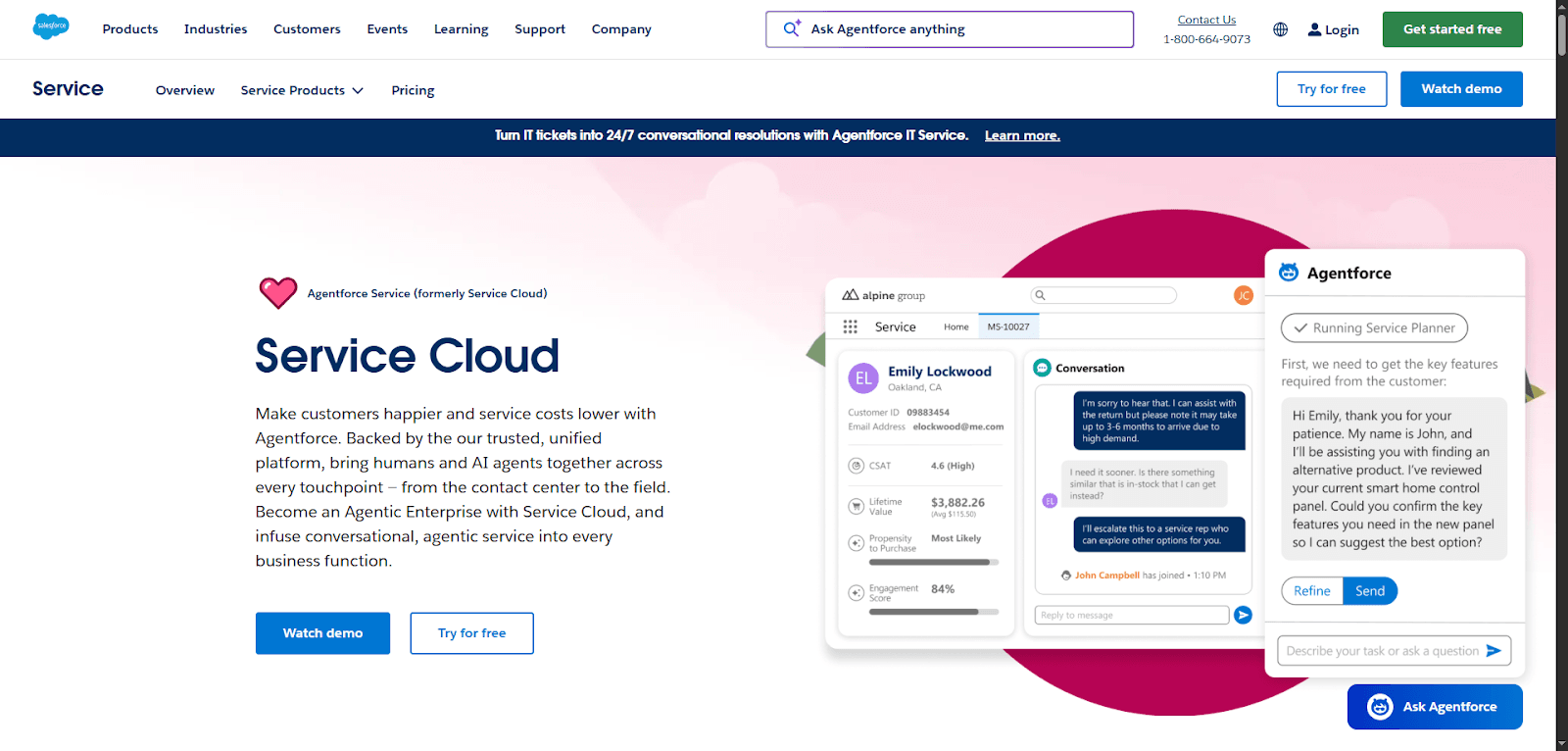
Salesforce Service Cloud helps insurance teams deliver faster, smoother customer support. It brings every interaction (phone, chat, email, portal) into one place so reps don’t waste time jumping between systems.
You get real-time AI assistance with Agentforce. It suggests next steps, drafts replies, and helps resolve cases quicker. That means fewer bottlenecks and happier policyholders.
It’s also built to cut costs without cutting service quality. Automation handles routine questions, so your team can focus on complex claims or high-value customers.
Here’s what you can do with Service Cloud:
Track and resolve cases in a single dashboard.
Use knowledge articles to give consistent answers.
Detect issues early with incident management tools.
Collaborate instantly through Slack to solve problems faster.
As you grow, Service Cloud scales with you: from contact centers to field service. If you want faster resolutions, lower costs, and more satisfied customers, this platform gives you a practical path to get there.
Agentforce 360 Platform
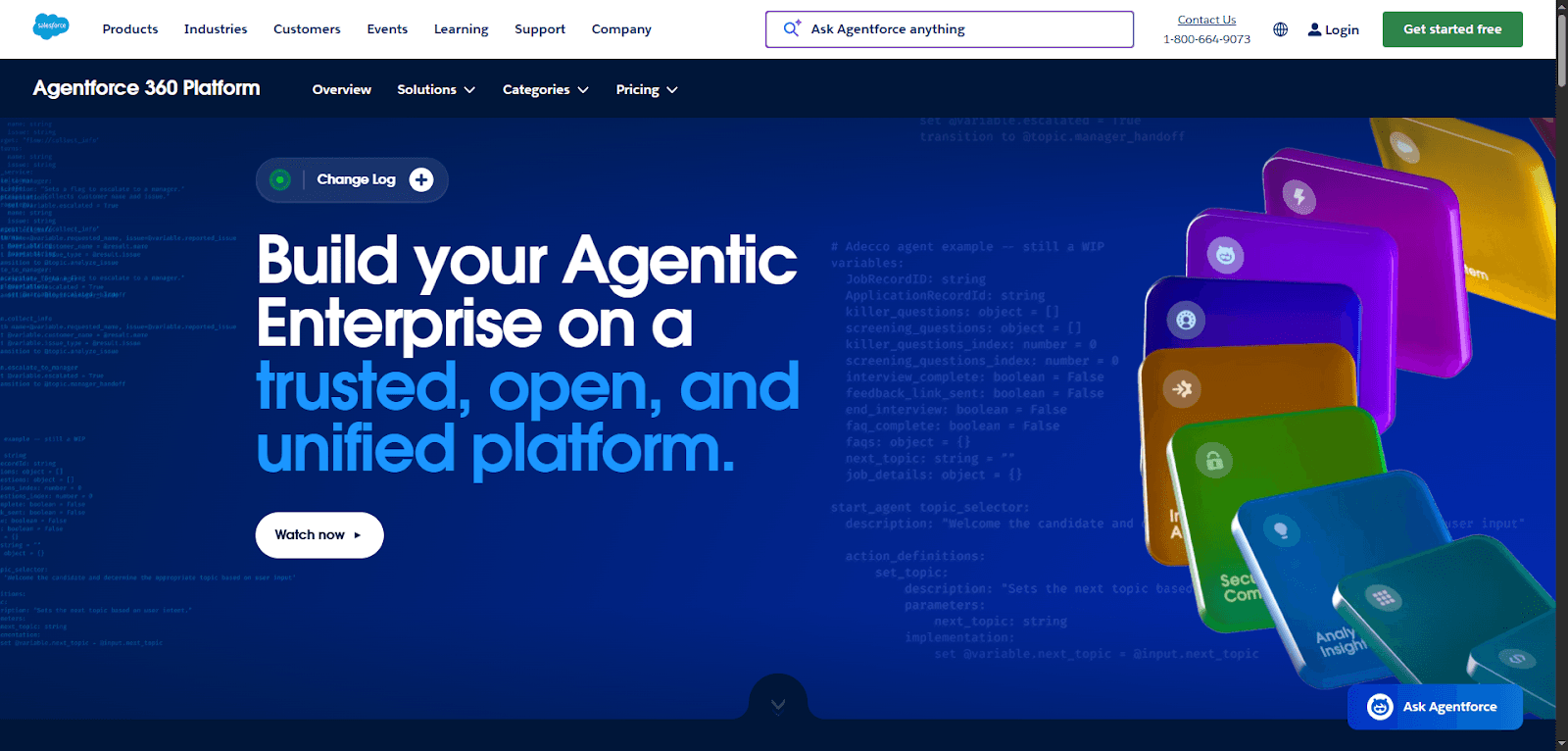
Agentforce 360 Platform gives insurers one connected place to bring people, data, and AI together. Instead of juggling tools, you run your service operations on a single, trusted foundation. That means faster decisions, quicker responses, and fewer silos slowing you down.
At its core, the platform helps you turn data into action. You get a unified customer view, so every agent sees policy details, history, and needs in seconds. AI agents support your team by automating routine work and guiding next steps. You stay in control while letting AI handle the heavy lifting.
Here’s where it really helps:
Connect systems and workflows without manual effort.
Keep data secure, compliant, and accurate.
Build apps, portals, or automations as your business grows.
It also works seamlessly with Slack, making collaboration instant. As your service demands increase, Agentforce 360 scales with you, so you can respond faster, operate smarter, and deliver consistently better customer service.
Industry-specific tools
These solutions focus on insurance workflows like quoting, underwriting, and renewals. They help streamline processes, reduce manual steps, and connect teams.
By using Salesforce for insurance companies, carriers can work more efficiently and deliver smoother experiences from the first interaction to long-term servicing.
Strada Suite
Strada stands out because it solves a simple problem in insurance customer service: customers want fast, accurate help on their terms, not just over the phone.
With Strada, you get AI agents that handle conversations across voice, chat, and SMS, giving customers instant support whenever they reach out.
What makes Strada practical for insurance teams
Strada isn’t generic AI. It’s purpose-built for insurance tasks you deal with every day.
That means it understands policy language, workflows, and the systems you already rely on. Instead of just answering questions, it actually gets work done.
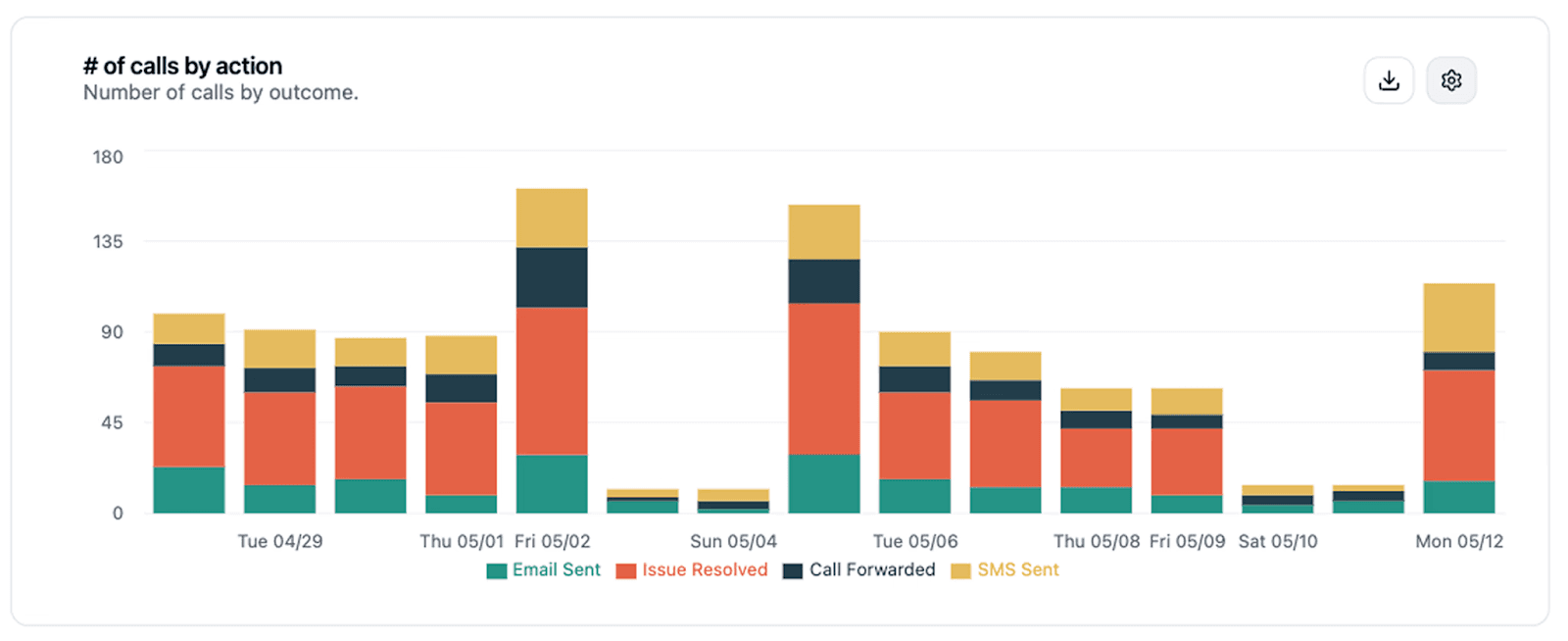
Here’s what that looks like in real life:
24/7 policy servicing so customers don’t wait on hold.
Real-time claims updates without agent intervention.
Payment troubleshooting to reduce lapses.
Instant COI requests handled automatically.
Inbound and outbound calls managed at scale.
No scripts. No guesswork.
Just smooth, accurate conversations.
Moving beyond “phone-only” support
Not everyone wants to call. Some customers prefer typing while reviewing documents. Others need quick answers in your portal or app.
Strada’s chat solution meets customers wherever they are, giving them the same intelligence and automation as its voice agents. It plugs into your website, mobile app, or portal with a clean, branded widget.
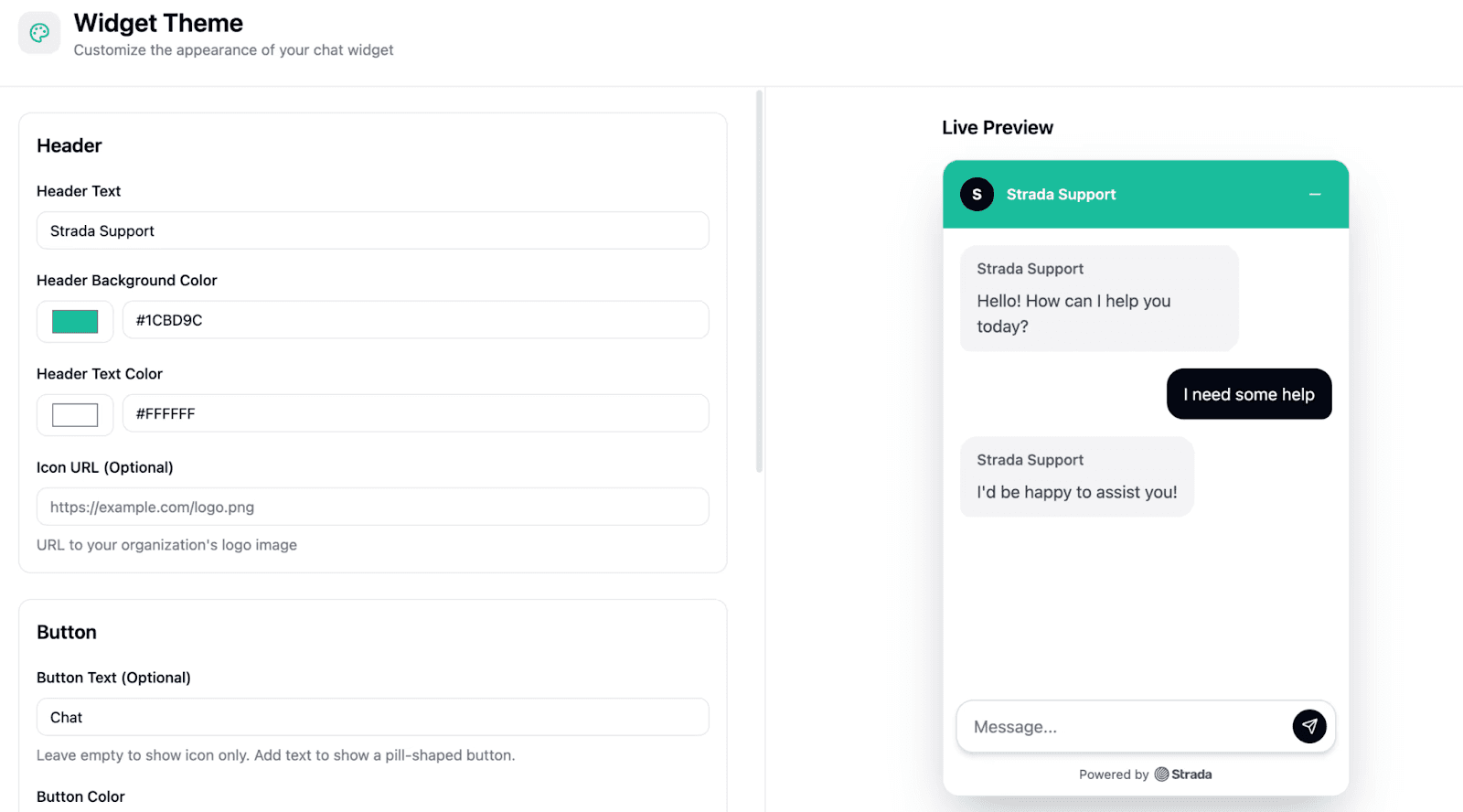
And when a conversation needs a human, Strada hands it off to Salesforce or other helpdesk tools with full context.
No repeats, no frustration.
Automation that actually saves time
Every call or chat ends with tasks: follow-ups, updates, and reminders.
Strada Workflows takes those tasks off your team’s plate. It triggers actions instantly across your CRM, AMS, billing, or claims systems. For example:
A cancellation signal automatically alerts retention.
A payment promise triggers a check and reminder later.
A new claim creates a file and assigns an adjuster.
Your team focuses on relationships, not data entry.
So, Strada helps you:
Never miss a customer touchpoint.
Deliver consistent, accurate answers across channels.
Scale without adding headcount.
Improve service based on real interaction data.
If you’re looking for a Salesforce-ready solution that connects conversations to real business action, Strada is a powerful fit.
Salesforce Financial Services Cloud
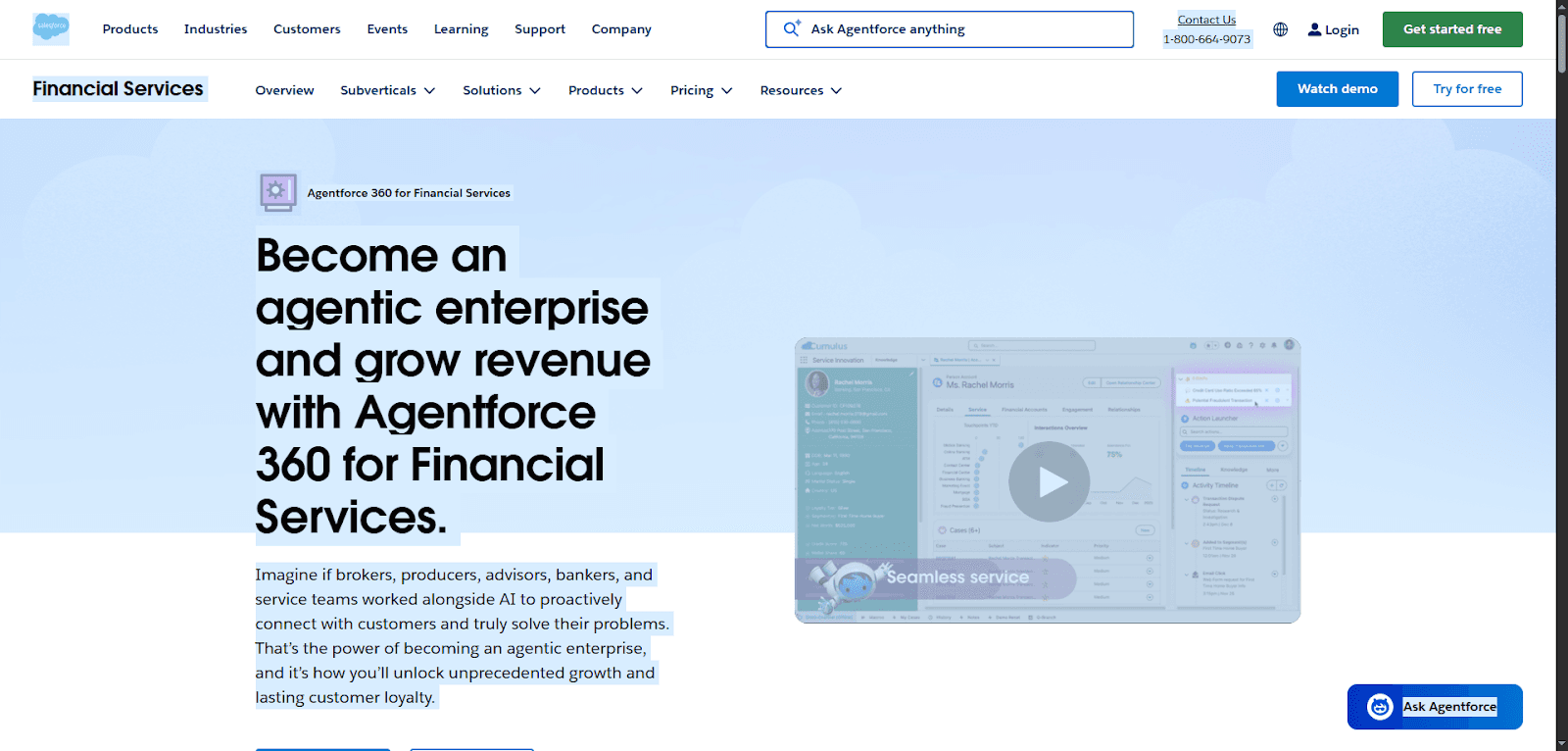
Financial Services Cloud helps insurance teams put every customer at the center of their service. Instead of scattered data and slow handoffs, you get one connected platform that gives you a clear picture of each policyholder: their history, needs, and recent interactions.
That means you can respond faster and build trust with every conversation.
AI plays a big role here. It automates routine tasks, flags opportunities, and guides next steps so reps stay focused on real problems, not admin work. Onboarding becomes smoother, claims feel less stressful, and service teams work with confidence.
You’ll benefit most in three areas:
Faster support across digital and in-person channels.
Personalized engagement based on real customer insights.
Streamlined processes that boost productivity.
No matter if you’re an agency, brokerage, or carrier, Financial Services Cloud scales with your growth. It helps you deliver consistent service, strengthen loyalty, and create experiences customers actually remember. In a good way.
Salesforce Insurance Data Model
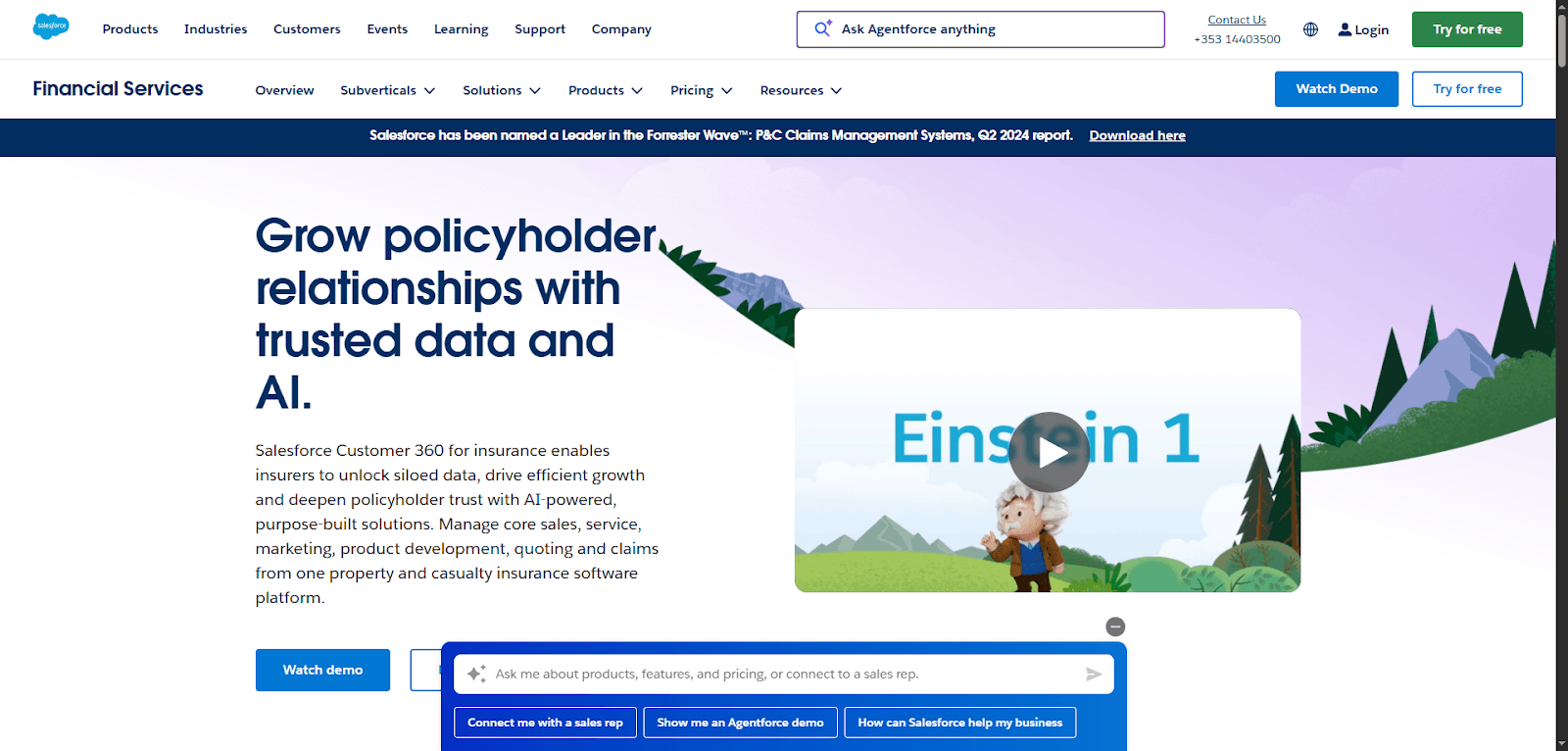
The Salesforce Insurance Data Model gives insurers a clean, connected way to manage policy, claims, customer, and agent data in one place. Instead of dealing with siloed systems, you get a single view of every policyholder.
That means faster service, clearer insights, and fewer manual headaches.
It’s built to support real insurance workflows. You can digitize submissions, speed up underwriting, and track claims from first notice to payout. AI and automation then help your team spot risks, surface next steps, and personalize every interaction.
Here’s how it helps your service experience:
Use accurate, real-time data to answer questions quickly.
Reduce duplicate work across sales, service, and claims.
Power smarter decisions with dashboards and insights.
It also connects easily to other tools like Service Cloud, Marketing Cloud, and core policy systems. As a result, you deliver smoother claims, more proactive communication, and support that feels consistent and reliable at every step.
Policy and claims integrations
Connecting policy, billing, and claims systems keeps data accurate and service fast. Integrations reduce rekeying, eliminate delays, and give teams real-time status updates.
With Salesforce for insurance, you can link core platforms and support quicker decisions and clearer communication for customers.
Strada Workflows
Strada Workflows takes a painful part of insurance operations (the follow-up) and makes it automatic. Instead of relying on agents to remember tasks, update Salesforce, or chase next steps, Strada turns every call outcome into real action the moment the conversation ends.
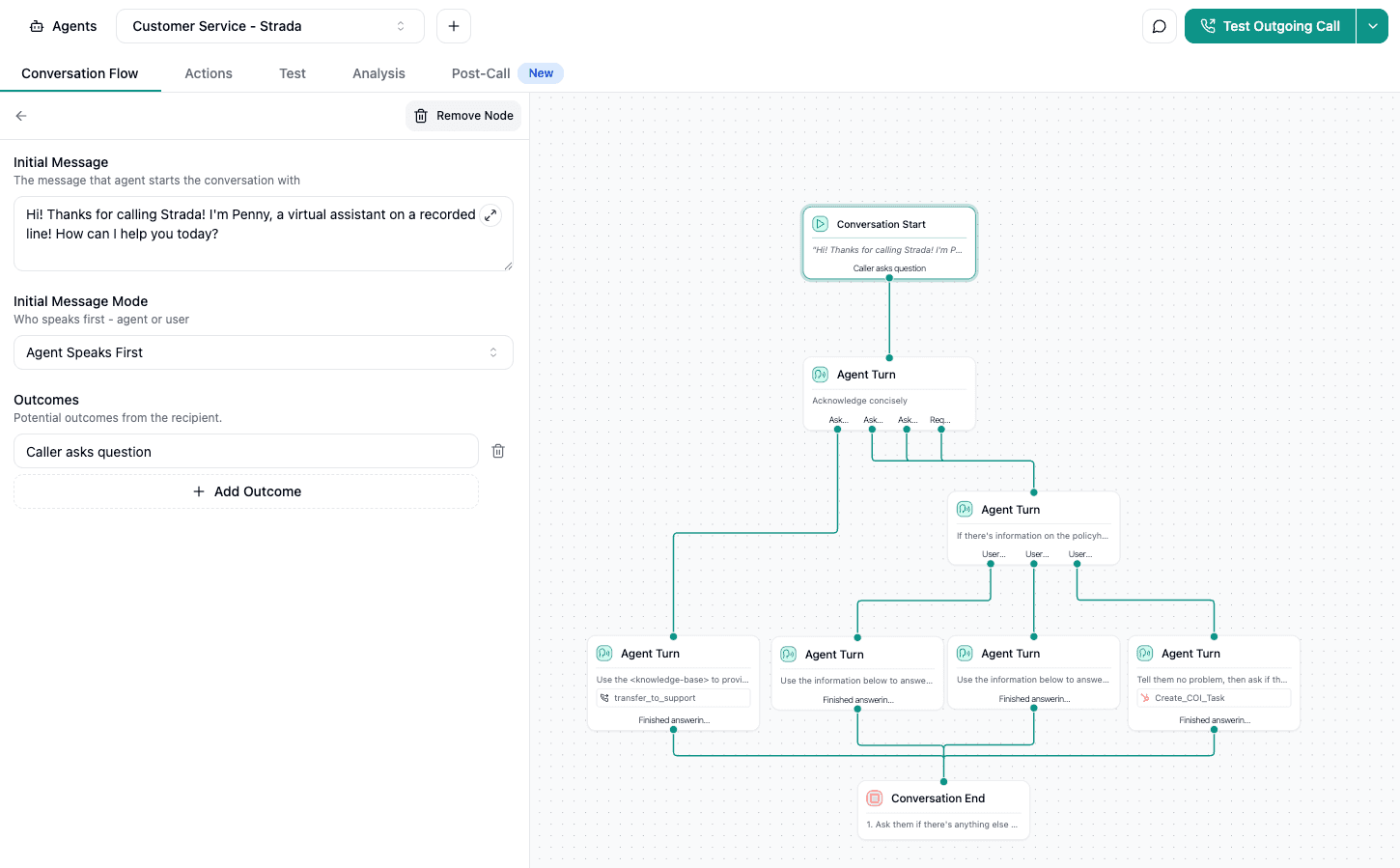
You’re not just recording conversations. You’re acting on them.
How it works in real life
Strada listens for key outcomes and triggers the right steps automatically. That means less manual work and fewer dropped balls. For example:
A prospect doesn’t finish a quote? Strada schedules follow-up and updates lead status in Salesforce.
A customer promises to pay? It checks the billing system later and sends reminders if needed.
Someone hints they’re shopping around? It flags the account as at-risk and alerts retention.
A new claim is reported? It creates the file, assigns an adjuster, and sends documents within minutes.
These aren’t just notifications. They’re real workflow actions across your systems.
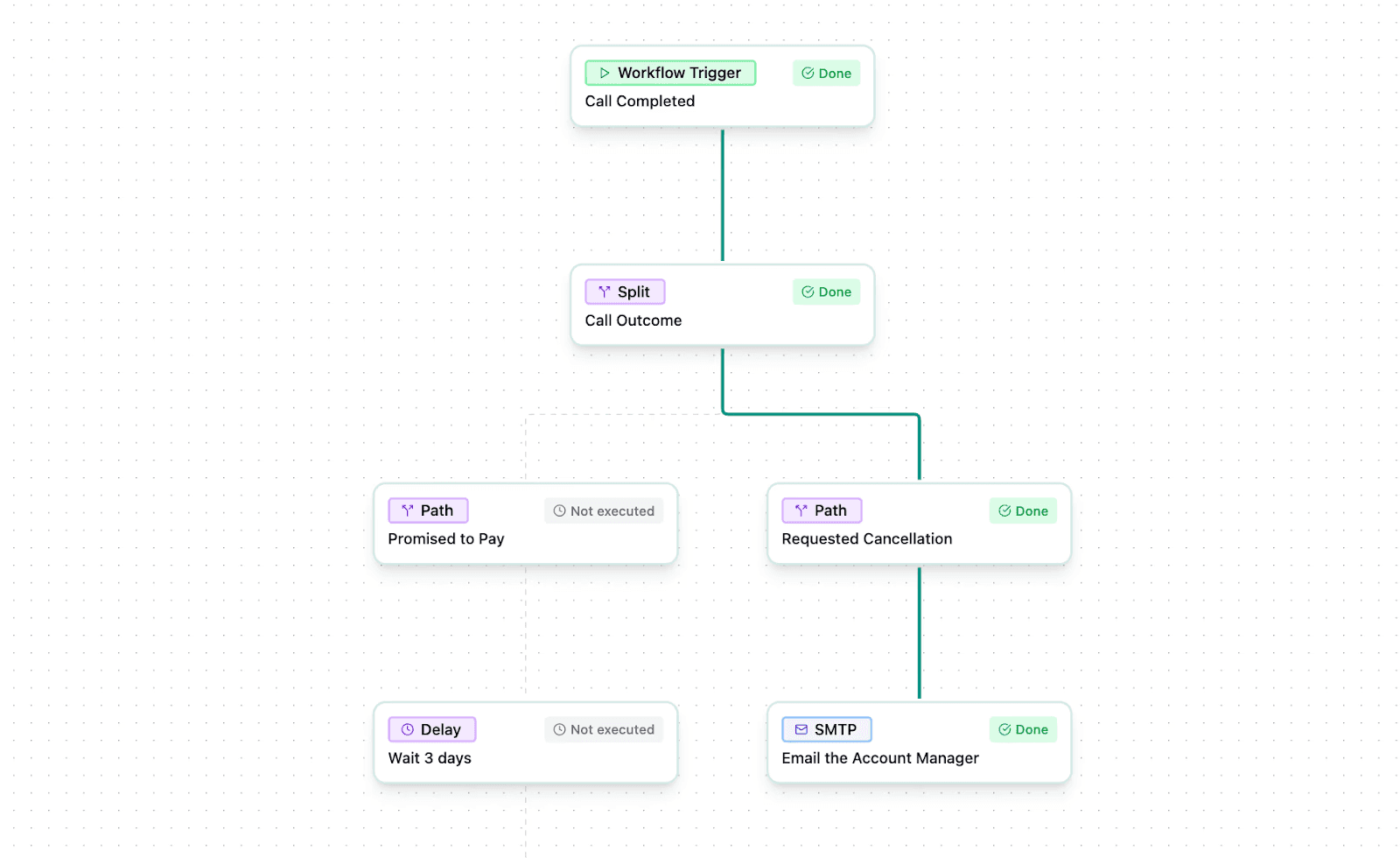
Most teams log insights but don’t act fast enough. Strada eliminates that lag. You get:
Immediate execution instead of waiting hours or days.
Consistent follow-up so nothing slips through the cracks.
More productivity because your team focuses on customers, not data entry.
Scalable growth without adding headcount.
Built for your tech stack
Strada connects with Salesforce, AMS platforms, claims systems, and even custom APIs. You don’t need coding. You just set rules, and the system runs them automatically.
So, if you want faster responses, cleaner workflows, and happier customers, Strada Workflows gives you a simple path forward.
Every conversation becomes a trigger for real business results, without extra effort from your team.
EasySend
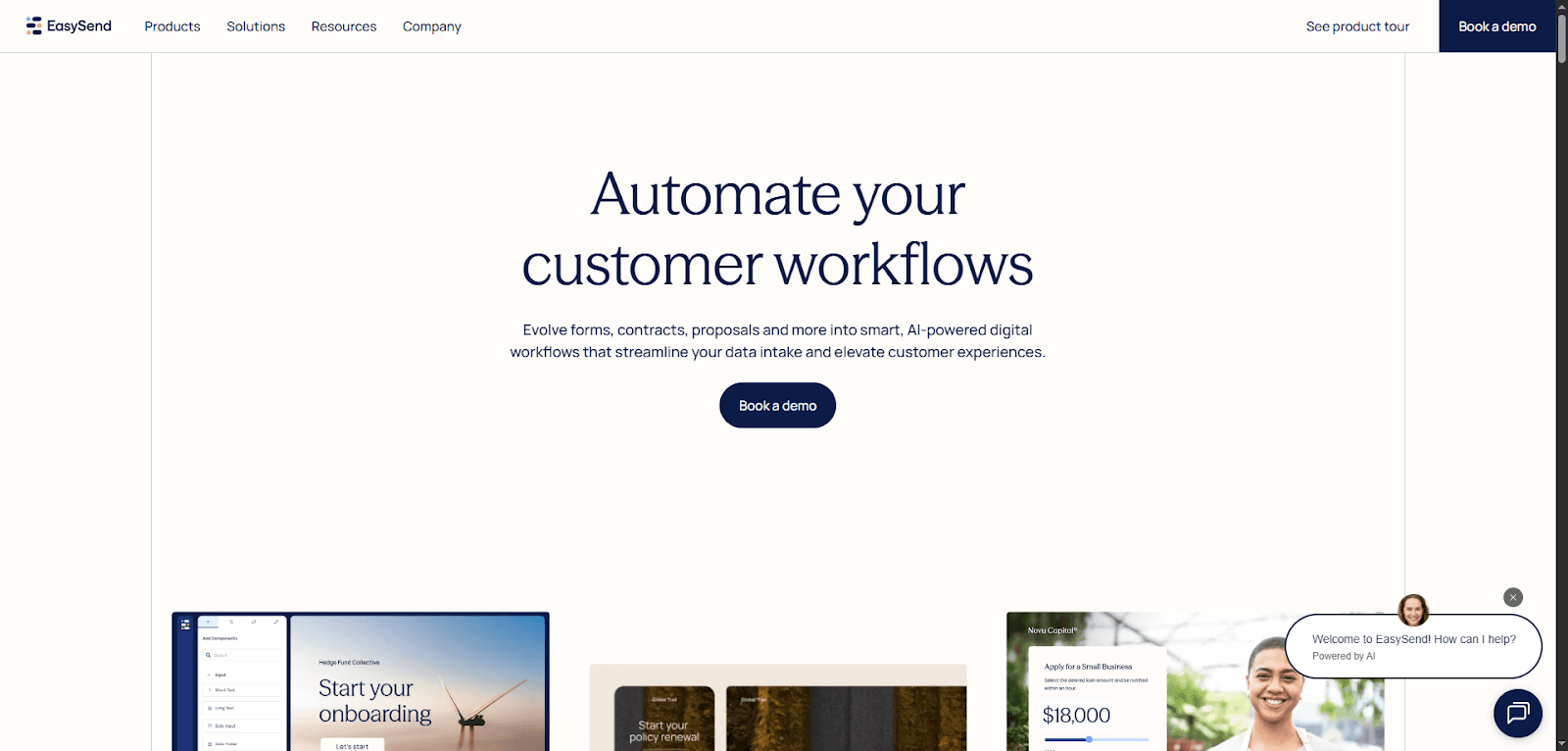
EasySend helps insurers turn slow, paperwork-heavy processes into fast, digital self-service experiences. Instead of emailing PDFs or chasing missing forms, you collect information online in a clean, guided workflow.
Customers move through steps on their own, and your team gets accurate data without the back-and-forth.
The platform includes helpful tools. Journeys lets you build digital flows for things like claims, policy updates, or onboarding. DynamicDoc creates personalized documents automatically. EasySign speeds up approvals with secure e-signatures.
And Workflow Manager helps you map and automate the full process behind the scenes. Here’s what that means in practice:
Shorter cycle times and fewer manual tasks.
Fewer errors and faster data collection.
A smoother experience on any device.
It also connects with Salesforce, so data moves straight into your CRM. The result? You deliver quicker responses, reduce costs, and give customers an experience that feels modern, simple, and stress-free.
Contact center and case management platforms
These tools help teams handle high volumes of calls, emails, and requests without losing speed or quality. They improve routing, tracking, and resolution times.
When powered by Salesforce insurance solutions, service centers can respond consistently and deliver better outcomes across every channel.
Strada Voice AI & Chat (+ Email soon)
Strada gives insurance teams something they’ve always needed but rarely had: instant, accurate customer service across the channels customers actually use.
It started with voice AI, and now it delivers the same power through chat and SMS, with email support on the way.
Instead of missed calls, long waits, and manual follow-ups, Strada handles conversations automatically and keeps service moving 24/7.
What Strada does best
Strada’s AI agents take on high-volume, everyday tasks so your team doesn’t have to. That means faster answers and fewer bottlenecks. For example:
Quote intake to capture opportunities right away.
First Notice of Loss to start claims instantly.
Policy servicing with zero hold time.
Renewals to boost retention.
It even schedules appointments, sends emails or texts, and kicks off workflows in Salesforce and your other systems, all without human effort.
Why it works for insurance
Strada’s trained to understand insurance terms and processes.
So when someone asks about a certificate, coverage limit, premium change, or renewal date, it responds clearly and correctly. That reduces errors and builds trust. Plus, it’s built to scale. You can handle thousands of calls and chats, and Strada keeps going.
No hiring, no extra training.
Basically, with voice, chat, and SMS (and email coming soon!), you get one platform that meets customers wherever they are.
You respond faster, resolve more requests, and never miss a touchpoint. It’s a simple way to deliver better service without adding more work.
Salesforce Service Cloud Voice
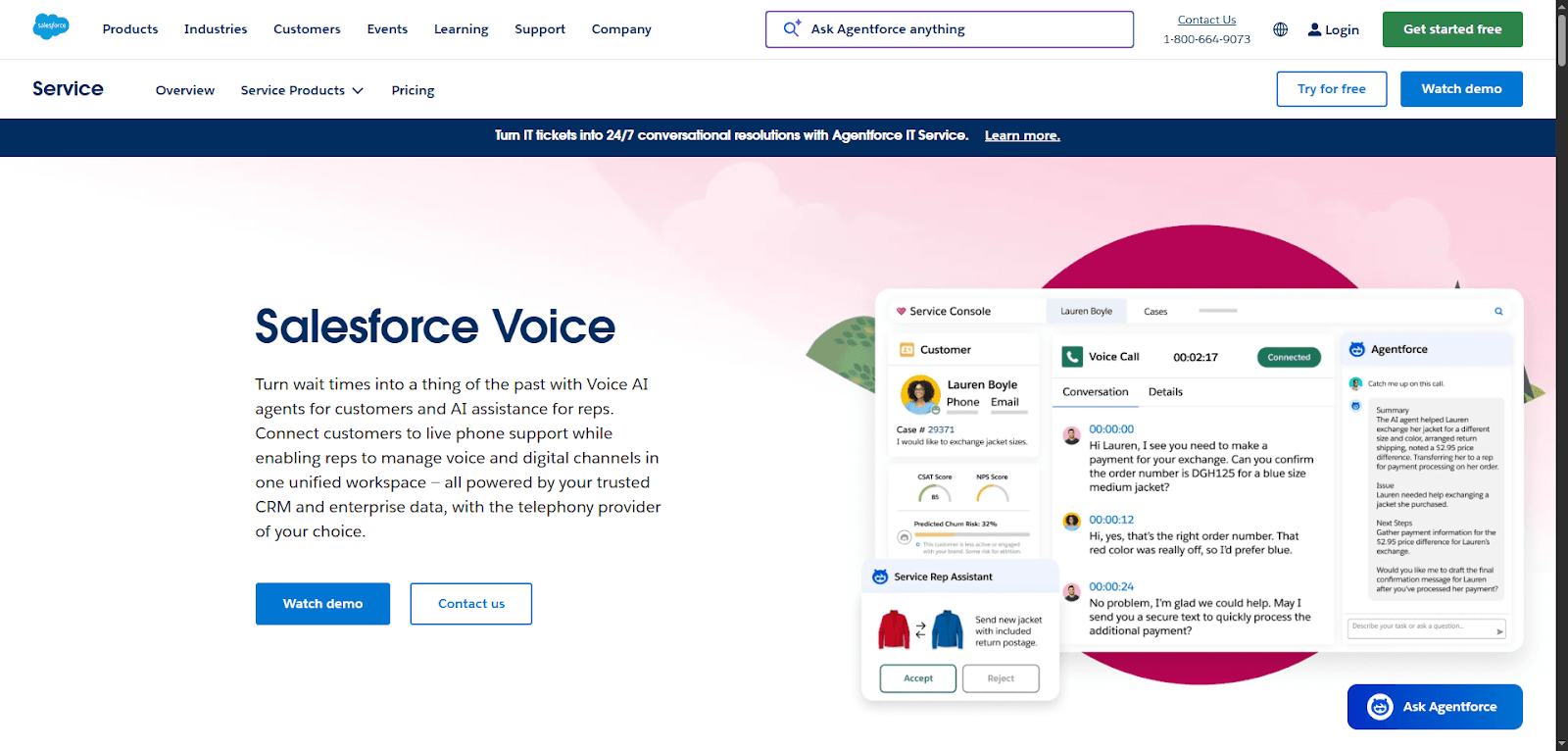
Service Cloud Voice brings phone support, AI, and customer data together in one place. Instead of juggling systems, your reps handle calls and digital conversations from a single workspace. That means faster answers and less time on hold.
AI does a lot of the heavy lifting. It can answer routine questions, summarize calls, and suggest next steps in real time. When a customer needs a human, the call transfers smoothly (along with a quick summary), so reps don’t have to start from scratch.
Here’s how it helps your service team:
Resolve issues faster with real-time guidance.
Boost efficiency with call transcripts and automated notes.
Spot upsell or renewal opportunities during conversations.
Supervisors also get insights into performance, sentiment, and trends, helping them coach teams and fix problems early. Service Cloud Voice connects with your telephony provider and Salesforce data, so everything feels seamless.
The result? Shorter wait times, happier policyholders, and more productive reps.
AI and analytics add-ons
AI insights and reporting tools help predict needs, spot trends, and guide smarter decisions. They support personalized service and faster issue resolution.
By tapping into the Salesforce insurance data model, teams can analyze information more effectively and improve both operations and customer experiences.
Strada Analytics
Strada isn’t just about answering calls or chats.
It gives you the visibility to understand what’s working, what’s not, and where customers need help. That’s where Strada Analytics comes in.

It turns conversation data from Voice AI into insights you can actually use, without waiting on engineering or reporting teams.
You get answers fast, and you stay in control.
What makes Strada analytics different
Most analytics tools look great, but take forever to build, customize, or update. Strada flips that. It lets you explore call data, performance trends, and customer outcomes right in your browser.
You can:
Filter data to focus on what matters.
Measure results like renewals, claims activity, or call outcomes.
Build custom dashboards on your own.
Ask deeper questions without needing engineering support.
And because Voice AI captures every call outcome, you’re working with complete, structured data, not guesswork.
Why it’s useful for insurance teams
Insurance conversations drive business action. Quotes, renewals, cancellations, payments – every call signals something. Strada Analytics helps you spot patterns early, like:
Rising cancellation risk.
Missed follow-ups.
Call bottlenecks.
High-value opportunities.
That means you can fix issues sooner and double down on what’s working.
Plus, Strada uses a browser-based SQL engine behind the scenes.
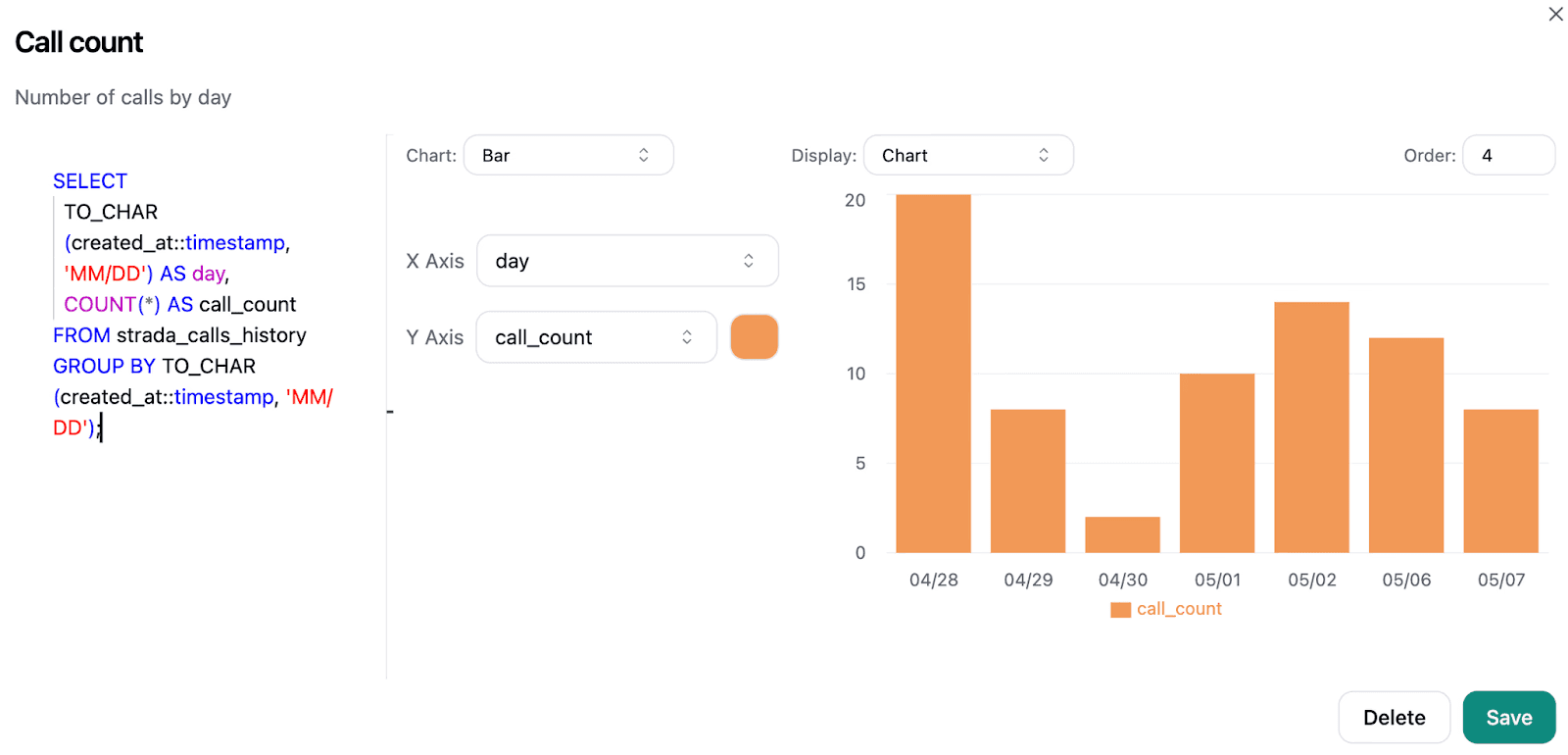
You don’t need to be technical to benefit, but it gives power users endless flexibility. You can slice data any way you want and turn it into charts in seconds.

With Strada Voice AI capturing conversations and Strada Analytics turning them into insights, you get a full loop: action, data, improvement.
You make smarter decisions, prove impact, and continuously elevate customer service, without added workload or engineering roadblocks.
Salesforce Einstein for Insurance
Salesforce Einstein brings practical AI into everyday insurance work. It helps teams work faster, personalize service, and make smarter decisions without adding extra tools or complexity.
Everything runs inside Salesforce, so you’re using AI that’s grounded in your own customer data, not generic guesses.
Einstein can predict needs, suggest next steps, and even generate content like emails or summaries. That means less manual typing and more time focused on customers. It also helps reps spot risks, coverage gaps, or upsell opportunities so conversations become more helpful and proactive.
Here’s where you’ll see the biggest impact:
Faster responses with AI guidance and automation.
Clear insights that help agents resolve issues confidently.
Personalized communication based on real customer history.
Einstein is built with privacy and security in mind, so your data stays protected. As your business grows, the AI scales with you. The result? Smarter workflows, happier policyholders, and teams that don’t feel overwhelmed by admin work.
CRM Analytics
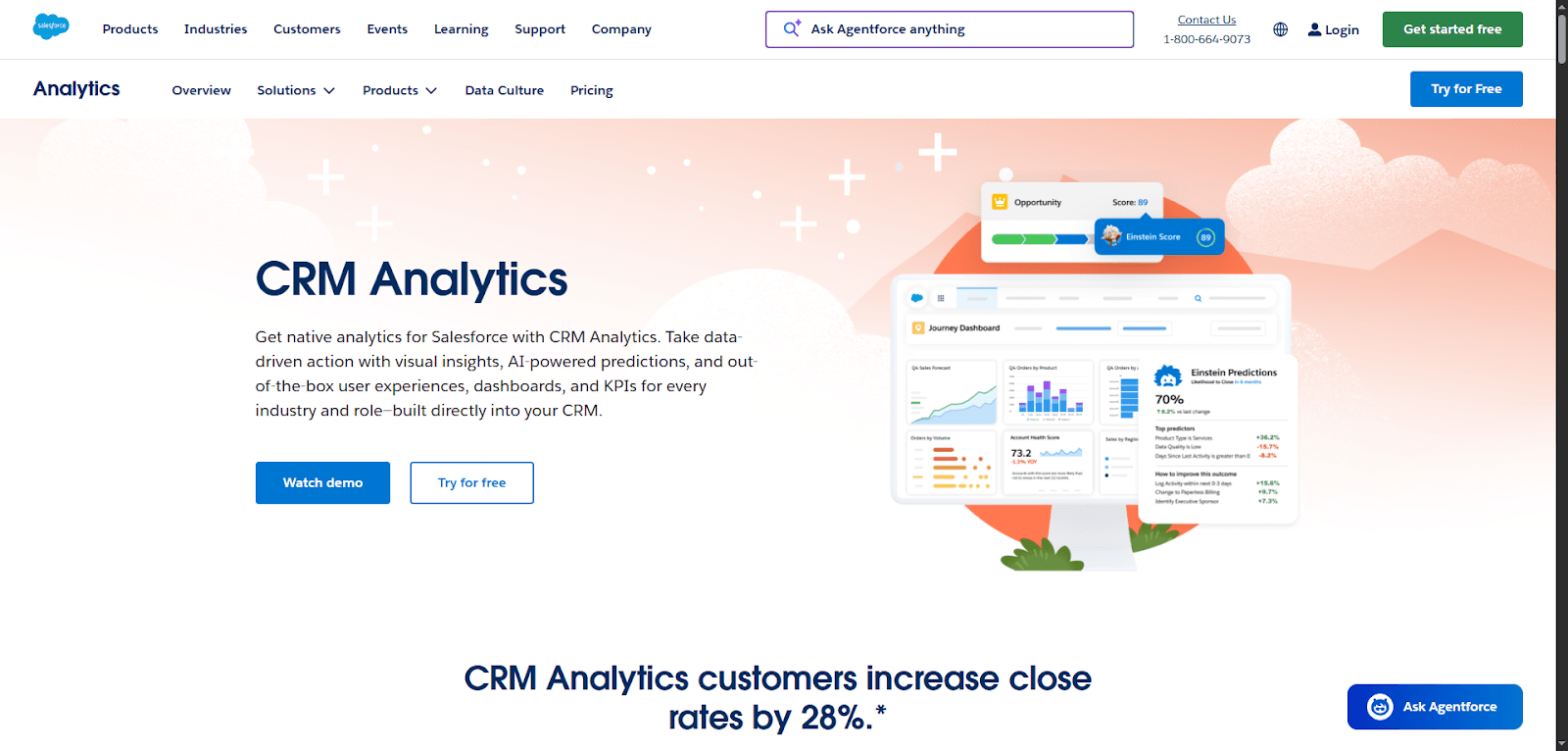
CRM Analytics helps insurance teams make smarter decisions, faster. Instead of guessing or hunting for reports, you see clear insights right inside Salesforce. You get dashboards, trends, and predictions that show what’s working, what’s not, and where to focus next.
AI plays a big role here. It highlights patterns, flags risks, and recommends next best actions. That means your reps don’t just react. They can stay one step ahead and deliver more proactive service.
Here’s how it helps in day-to-day work:
Spot bottlenecks in claims or service queues.
Identify customers who need attention or follow-up.
Track KPIs like resolution time and satisfaction.
You can also take action right from a dashboard: assign a task, schedule a call, or update a record without switching tools. Because it’s built into Salesforce, your data stays secure and up to date.
The result? Faster decisions, better customer experiences, and a team that feels confident, not overwhelmed.
Knowing the tools is only half the story. The real impact comes from how you roll them out, so let’s walk through a practical implementation plan.
How do you implement Salesforce insurance tools successfully?
Implementing new insurance technology isn’t just about turning on a system. It’s about setting yourself up for smoother service, faster responses, and fewer customer headaches. A smart rollout helps you get value quickly and avoid messy rework later.
Here’s a practical way to make it happen.
Start with planning and mapping customer service journeys. Before you touch any configuration, understand how customers move through claims, policy changes, billing questions, or onboarding.
Sketch each step. Identify where delays, handoffs, or confusion happen today.
Then define how the new tools should eliminate those pain points. This gives you a clear target and prevents random features from taking over.
Once you know the ideal journey, move to designing a scalable data model. Clean data powers good service. Decide what information you need about policies, claims, households, agents, and communication history. Standardize fields and naming.
To keep it simple and usable from day one, focus on:
One source of truth for policy and claim records to avoid duplicates.
Consistent field names and formats so reports stay accurate.
Clear relationships between customers, households, agents, and policies.
Defined retention rules for what to keep, archive, or delete.
Structured communication logs to track every interaction in one place.
Avoid storing data in multiple places. Keep it flexible so you can add products or channels later. A well-designed model means better reporting, faster answers, and fewer errors.
Next comes the technical lift: integrating with legacy and core systems. Most insurers still rely on PAS, billing systems, and older databases. Don’t rip everything out. Instead, connect them so data flows automatically.
Focus on real-time or near-real-time sync for anything that impacts service, like policy status or claim updates. Start with the highest-impact integrations, then expand.
This avoids big-bang chaos and keeps you moving.
After integrations are in place, dial in your workflows by testing automation and rules before launch. Don’t assume a rule works because it looks right. Test with real scenarios: simple, complex, and edge cases. Check routing, notifications, approvals, and escalations.
To make this clearer, here’s a simple table to guide your testing:
What to test | Why it matters | What to look for |
Basic scenarios | Confirms core workflows function | Correct routing and expected actions |
Complex cases | Ensures logic holds under real pressure | No bottlenecks or stuck records |
Edge cases | Catches rare but risky issues | Errors handled cleanly and visibly |
Notifications | Keeps teams and customers informed | Alerts sent to the right people, on time |
Approvals and escalations | Protects accuracy and timelines | Fast approvals and clear escalation paths |
Make sure nothing gets stuck. Testing saves you from frustrated customers and stressed teams on day one.
With the system ready, shift to people. Successful adoption depends on training service teams and agents. Keep training hands-on, not theoretical. Show them how new screens support daily tasks. Give them cheat sheets and short videos.
Let them practice in a sandbox environment. Create champions inside the team who can answer questions and encourage others. When people feel confident, they use the system fully instead of falling back to old habits.
Used well, tools like Salesforce for insurance industry can reshape service delivery. And when frontline users truly adopt the platform, it can make Salesforce for insurance agents more effective, helping them respond faster and personalize every interaction.
When you combine solid planning, smart integration, and strong training, you set your team up for long-term success.
Even a solid plan can go off track if you hit common pitfalls. To stay ahead, it helps to know what to avoid before you start.
What mistakes should insurers avoid?
Even the best technology can fall short if you take the wrong approach. When you’re rolling out new tools, avoiding a few common mistakes can save you time, money, and frustration and lead to better customer service.
First, don’t fall into the trap of over-customizing Salesforce and creating complexity. It’s tempting to build every possible feature, field, or workflow. But too much customization slows performance, increases maintenance, and makes upgrades painful. Start simple. Use standard features when you can.
Customize only when it clearly improves a customer or employee experience.
Next, watch out for ignoring data quality and migration issues. If your data is messy, duplicated, or outdated, your system won’t help you serve customers faster. Before going live, clean your data. Define what should move, what should be archived, and what should be standardized. Good data means smoother service and fewer errors.
Another big mistake is not preparing teams for change. Technology alone won’t fix service. People will. Give teams clear communication, hands-on training, and time to adjust. Explain why the change matters and how it helps them day-to-day. When people feel supported, adoption skyrockets.
Finally, avoid implementing tools without tracking metrics. You need to know what’s working. Set goals like faster response times or fewer manual steps. Track them. Review results often and improve as you go.
To make this practical, here’s a simple table you can use right away:
Metric | How to calculate | Benchmark to aim for |
First response time | Average minutes from customer inquiry to first reply | Under 1 hour for digital channels; Under 3 minutes for phone |
First contact resolution | % of cases resolved in a single interaction | 70–80% or higher |
Average handle time | Total time spent per case ÷ number of cases | 5–7 minutes for common service requests |
Case reassignment rate | % of cases transferred between reps or teams | Below 10% to reduce friction |
Manual steps per process | Count steps completed without automation | 10–30% reduction in the first 90 days |
Customer satisfaction (CSAT) | % of positive ratings from post-service surveys | 85%+ on average |
By steering clear of these pitfalls, you’ll get more value from Salesforce insurance solutions and deliver a better customer experience.
Once you steer clear of those traps, the path becomes clearer. So what does all this mean for your business moving forward? Let’s wrap it up.
What’s the bottom line?
At the end of the day, great customer service isn’t just a “nice to have” in insurance. It’s a real competitive advantage. When you respond faster, personalize conversations, and resolve issues on the first try, you stand out in a crowded market. That’s the power of Salesforce-powered service.
The right tools don’t just speed things up. They actually improve loyalty and lifetime value. When customers feel cared for, they stay longer, buy more products, and recommend you to others.
Happy policyholders are cheaper to retain than new ones are to win, so better service directly impacts your bottom line.
So what should you do next?
Start small and stay focused. A simple plan keeps you moving without overwhelm. Here’s a practical way to do it:
Pick one customer journey to improve first: claims, billing, onboarding, or service requests.
Clean up the data tied to that journey so reps have accurate information.
Train the team involved and give them hands-on practice.
Measure results like speed, resolution rates, or customer feedback.
Expand to the next journey only after you see success and know what worked.
Step-by-step wins build real momentum.
And if you want to see how modern tech can take this even further, especially with real-time conversations, you can book a quick demo with Strada to explore how Voice AI supports smoother service without a heavy lift.
In the end, getting more value from Salesforce insurance solutions is about smarter processes, empowered teams, and a better customer experience, one step at a time.
Frequently Asked Questions
How do I know if my insurance team is ready for Salesforce tools?
If your team struggles with slow responses, manual data entry, or scattered systems, you’re ready. Salesforce helps unify data, automate tasks, and speed up everyday service work.
Will Salesforce replace my existing policy or claims system?
Framer is a design tool that allows you to design websites on a freeform canvas, and then publish them as websites with a single click.
How long does it usually take for insurers to see value after implementation?
Framer is a design tool that allows you to design websites on a freeform canvas, and then publish them as websites with a single click.
How can Salesforce improve claims communication for customers?
Framer is a design tool that allows you to design websites on a freeform canvas, and then publish them as websites with a single click.
How do I choose which insurance workflows to automate first?
Framer is a design tool that allows you to design websites on a freeform canvas, and then publish them as websites with a single click.
Table of Contents
Carriers, MGAs, and brokers scale revenue-driving phone calls with Strada's conversational AI platform.
Start scaling with voice AI agents today
Join innovative carriers and MGAs transforming their calls with Strada.
Top 12 Salesforce Insurance Solutions for Better Customer Service in 2026
Amir Prodensky
CEO
16 min read
Smart ways insurers streamline operations with Salesforce in 2026
Customer expectations in insurance are changing fast. People want quick answers, seamless service, and real support, not long wait times or confusing processes.
That’s why insurers are turning to digital tools that make service faster, smarter, and more personal. In 2026, the companies that win won’t just sell policies. They’ll deliver exceptional experiences at every touchpoint.
This guide breaks down the top 12 Salesforce insurance solutions that help you boost service speed, cut manual work, and give teams the insights they need to help customers on the spot. You’ll learn what they do, why they matter, and how they can help you stand out.
But, before you choose any tools, you need to know what actually matters. So let’s break down the essentials to look for first.
What should you look for in Salesforce insurance solutions?
When you’re choosing tools to power insurance service in 2026, you don’t just want shiny tech. You want something that actually makes work easier, faster, and more customer-friendly. The right Salesforce insurance solutions can do that, but only if you know what to look for.
Start with insurance-specific features and data models. You shouldn’t have to force-fit generic tools into underwriting, claims, or policy management. Look for systems that already understand key insurance objects, terminology, and workflows.
To make this even more practical, focus on essentials like:
Prebuilt policy, claim, and account structures so you’re not creating fields from scratch.
Insurance-ready workflows for FNOL, renewals, endorsements, and approvals.
Role-based views tailored for agents, adjusters, and service reps.
Support for regulatory data requirements to keep compliance simple.
Easy reporting on policyholder history so teams can answer questions fast.
This saves time, reduces customization, and helps your team hit the ground running.
Next, think about how well the platform connects to what you already use. You’ll want ease of integration with core systems and PAS so data flows smoothly between quoting, billing, and servicing. If integrations are complicated or manual, customer service slows down. Simple APIs, connectors, and prebuilt integrations make a huge difference.
As your business grows, your tech needs to keep up. That’s why scalability and customization matter. Look for a solution that can handle more users, more policies, and more data without performance issues and one that lets you tailor workflows or screens without heavy development.
Security can’t be an afterthought. You’ll need security, compliance, and audit features that protect customer data, support regulatory requirements, and make audits straightforward. Think encryption, role-based access, and clear logs.
Finally, even the best platform falls short without the right partner. Prioritize strong vendor support and implementation expertise. You want responsive help, proven insurance experience, and guidance through rollout and optimization.
When you combine these elements, you set yourself up for smoother service, faster responses, and happier customers.
Once you know what “good” looks like, the next step is understanding which tools can deliver it. Let’s explore the types of Salesforce solutions built for insurance teams.
What types of Salesforce tools help insurance teams?
Insurance teams need more than a basic CRM. They need tools built to handle policies, claims, and fast customer responses.
Today’s Salesforce insurance solutions give service teams automation, real-time data, and smarter workflows so they can solve issues quickly and personalize every interaction.
And with platforms like Salesforce Insurance Cloud, insurers can connect systems, streamline handoffs, and support agents and reps with everything they need in one place.
CRM and customer service clouds
These platforms help insurers manage relationships, track interactions, and deliver faster support.
With Salesforce for insurance, teams get a unified view of every policyholder, while Salesforce insurance CRM makes it easier to resolve questions, personalize service, and keep customers engaged across channels.
Salesforce Service Cloud
Salesforce Service Cloud helps insurance teams deliver faster, smoother customer support. It brings every interaction (phone, chat, email, portal) into one place so reps don’t waste time jumping between systems.
You get real-time AI assistance with Agentforce. It suggests next steps, drafts replies, and helps resolve cases quicker. That means fewer bottlenecks and happier policyholders.
It’s also built to cut costs without cutting service quality. Automation handles routine questions, so your team can focus on complex claims or high-value customers.
Here’s what you can do with Service Cloud:
Track and resolve cases in a single dashboard.
Use knowledge articles to give consistent answers.
Detect issues early with incident management tools.
Collaborate instantly through Slack to solve problems faster.
As you grow, Service Cloud scales with you: from contact centers to field service. If you want faster resolutions, lower costs, and more satisfied customers, this platform gives you a practical path to get there.
Agentforce 360 Platform
Agentforce 360 Platform gives insurers one connected place to bring people, data, and AI together. Instead of juggling tools, you run your service operations on a single, trusted foundation. That means faster decisions, quicker responses, and fewer silos slowing you down.
At its core, the platform helps you turn data into action. You get a unified customer view, so every agent sees policy details, history, and needs in seconds. AI agents support your team by automating routine work and guiding next steps. You stay in control while letting AI handle the heavy lifting.
Here’s where it really helps:
Connect systems and workflows without manual effort.
Keep data secure, compliant, and accurate.
Build apps, portals, or automations as your business grows.
It also works seamlessly with Slack, making collaboration instant. As your service demands increase, Agentforce 360 scales with you, so you can respond faster, operate smarter, and deliver consistently better customer service.
Industry-specific tools
These solutions focus on insurance workflows like quoting, underwriting, and renewals. They help streamline processes, reduce manual steps, and connect teams.
By using Salesforce for insurance companies, carriers can work more efficiently and deliver smoother experiences from the first interaction to long-term servicing.
Strada Suite
Strada stands out because it solves a simple problem in insurance customer service: customers want fast, accurate help on their terms, not just over the phone.
With Strada, you get AI agents that handle conversations across voice, chat, and SMS, giving customers instant support whenever they reach out.
What makes Strada practical for insurance teams
Strada isn’t generic AI. It’s purpose-built for insurance tasks you deal with every day.
That means it understands policy language, workflows, and the systems you already rely on. Instead of just answering questions, it actually gets work done.
Here’s what that looks like in real life:
24/7 policy servicing so customers don’t wait on hold.
Real-time claims updates without agent intervention.
Payment troubleshooting to reduce lapses.
Instant COI requests handled automatically.
Inbound and outbound calls managed at scale.
No scripts. No guesswork.
Just smooth, accurate conversations.
Moving beyond “phone-only” support
Not everyone wants to call. Some customers prefer typing while reviewing documents. Others need quick answers in your portal or app.
Strada’s chat solution meets customers wherever they are, giving them the same intelligence and automation as its voice agents. It plugs into your website, mobile app, or portal with a clean, branded widget.
And when a conversation needs a human, Strada hands it off to Salesforce or other helpdesk tools with full context.
No repeats, no frustration.
Automation that actually saves time
Every call or chat ends with tasks: follow-ups, updates, and reminders.
Strada Workflows takes those tasks off your team’s plate. It triggers actions instantly across your CRM, AMS, billing, or claims systems. For example:
A cancellation signal automatically alerts retention.
A payment promise triggers a check and reminder later.
A new claim creates a file and assigns an adjuster.
Your team focuses on relationships, not data entry.
So, Strada helps you:
Never miss a customer touchpoint.
Deliver consistent, accurate answers across channels.
Scale without adding headcount.
Improve service based on real interaction data.
If you’re looking for a Salesforce-ready solution that connects conversations to real business action, Strada is a powerful fit.
Salesforce Financial Services Cloud
Financial Services Cloud helps insurance teams put every customer at the center of their service. Instead of scattered data and slow handoffs, you get one connected platform that gives you a clear picture of each policyholder: their history, needs, and recent interactions.
That means you can respond faster and build trust with every conversation.
AI plays a big role here. It automates routine tasks, flags opportunities, and guides next steps so reps stay focused on real problems, not admin work. Onboarding becomes smoother, claims feel less stressful, and service teams work with confidence.
You’ll benefit most in three areas:
Faster support across digital and in-person channels.
Personalized engagement based on real customer insights.
Streamlined processes that boost productivity.
No matter if you’re an agency, brokerage, or carrier, Financial Services Cloud scales with your growth. It helps you deliver consistent service, strengthen loyalty, and create experiences customers actually remember. In a good way.
Salesforce Insurance Data Model
The Salesforce Insurance Data Model gives insurers a clean, connected way to manage policy, claims, customer, and agent data in one place. Instead of dealing with siloed systems, you get a single view of every policyholder.
That means faster service, clearer insights, and fewer manual headaches.
It’s built to support real insurance workflows. You can digitize submissions, speed up underwriting, and track claims from first notice to payout. AI and automation then help your team spot risks, surface next steps, and personalize every interaction.
Here’s how it helps your service experience:
Use accurate, real-time data to answer questions quickly.
Reduce duplicate work across sales, service, and claims.
Power smarter decisions with dashboards and insights.
It also connects easily to other tools like Service Cloud, Marketing Cloud, and core policy systems. As a result, you deliver smoother claims, more proactive communication, and support that feels consistent and reliable at every step.
Policy and claims integrations
Connecting policy, billing, and claims systems keeps data accurate and service fast. Integrations reduce rekeying, eliminate delays, and give teams real-time status updates.
With Salesforce for insurance, you can link core platforms and support quicker decisions and clearer communication for customers.
Strada Workflows
Strada Workflows takes a painful part of insurance operations (the follow-up) and makes it automatic. Instead of relying on agents to remember tasks, update Salesforce, or chase next steps, Strada turns every call outcome into real action the moment the conversation ends.
You’re not just recording conversations. You’re acting on them.
How it works in real life
Strada listens for key outcomes and triggers the right steps automatically. That means less manual work and fewer dropped balls. For example:
A prospect doesn’t finish a quote? Strada schedules follow-up and updates lead status in Salesforce.
A customer promises to pay? It checks the billing system later and sends reminders if needed.
Someone hints they’re shopping around? It flags the account as at-risk and alerts retention.
A new claim is reported? It creates the file, assigns an adjuster, and sends documents within minutes.
These aren’t just notifications. They’re real workflow actions across your systems.
Most teams log insights but don’t act fast enough. Strada eliminates that lag. You get:
Immediate execution instead of waiting hours or days.
Consistent follow-up so nothing slips through the cracks.
More productivity because your team focuses on customers, not data entry.
Scalable growth without adding headcount.
Built for your tech stack
Strada connects with Salesforce, AMS platforms, claims systems, and even custom APIs. You don’t need coding. You just set rules, and the system runs them automatically.
So, if you want faster responses, cleaner workflows, and happier customers, Strada Workflows gives you a simple path forward.
Every conversation becomes a trigger for real business results, without extra effort from your team.
EasySend
EasySend helps insurers turn slow, paperwork-heavy processes into fast, digital self-service experiences. Instead of emailing PDFs or chasing missing forms, you collect information online in a clean, guided workflow.
Customers move through steps on their own, and your team gets accurate data without the back-and-forth.
The platform includes helpful tools. Journeys lets you build digital flows for things like claims, policy updates, or onboarding. DynamicDoc creates personalized documents automatically. EasySign speeds up approvals with secure e-signatures.
And Workflow Manager helps you map and automate the full process behind the scenes. Here’s what that means in practice:
Shorter cycle times and fewer manual tasks.
Fewer errors and faster data collection.
A smoother experience on any device.
It also connects with Salesforce, so data moves straight into your CRM. The result? You deliver quicker responses, reduce costs, and give customers an experience that feels modern, simple, and stress-free.
Contact center and case management platforms
These tools help teams handle high volumes of calls, emails, and requests without losing speed or quality. They improve routing, tracking, and resolution times.
When powered by Salesforce insurance solutions, service centers can respond consistently and deliver better outcomes across every channel.
Strada Voice AI & Chat (+ Email soon)
Strada gives insurance teams something they’ve always needed but rarely had: instant, accurate customer service across the channels customers actually use.
It started with voice AI, and now it delivers the same power through chat and SMS, with email support on the way.
Instead of missed calls, long waits, and manual follow-ups, Strada handles conversations automatically and keeps service moving 24/7.
What Strada does best
Strada’s AI agents take on high-volume, everyday tasks so your team doesn’t have to. That means faster answers and fewer bottlenecks. For example:
Quote intake to capture opportunities right away.
First Notice of Loss to start claims instantly.
Policy servicing with zero hold time.
Renewals to boost retention.
It even schedules appointments, sends emails or texts, and kicks off workflows in Salesforce and your other systems, all without human effort.
Why it works for insurance
Strada’s trained to understand insurance terms and processes.
So when someone asks about a certificate, coverage limit, premium change, or renewal date, it responds clearly and correctly. That reduces errors and builds trust. Plus, it’s built to scale. You can handle thousands of calls and chats, and Strada keeps going.
No hiring, no extra training.
Basically, with voice, chat, and SMS (and email coming soon!), you get one platform that meets customers wherever they are.
You respond faster, resolve more requests, and never miss a touchpoint. It’s a simple way to deliver better service without adding more work.
Salesforce Service Cloud Voice
Service Cloud Voice brings phone support, AI, and customer data together in one place. Instead of juggling systems, your reps handle calls and digital conversations from a single workspace. That means faster answers and less time on hold.
AI does a lot of the heavy lifting. It can answer routine questions, summarize calls, and suggest next steps in real time. When a customer needs a human, the call transfers smoothly (along with a quick summary), so reps don’t have to start from scratch.
Here’s how it helps your service team:
Resolve issues faster with real-time guidance.
Boost efficiency with call transcripts and automated notes.
Spot upsell or renewal opportunities during conversations.
Supervisors also get insights into performance, sentiment, and trends, helping them coach teams and fix problems early. Service Cloud Voice connects with your telephony provider and Salesforce data, so everything feels seamless.
The result? Shorter wait times, happier policyholders, and more productive reps.
AI and analytics add-ons
AI insights and reporting tools help predict needs, spot trends, and guide smarter decisions. They support personalized service and faster issue resolution.
By tapping into the Salesforce insurance data model, teams can analyze information more effectively and improve both operations and customer experiences.
Strada Analytics
Strada isn’t just about answering calls or chats.
It gives you the visibility to understand what’s working, what’s not, and where customers need help. That’s where Strada Analytics comes in.
It turns conversation data from Voice AI into insights you can actually use, without waiting on engineering or reporting teams.
You get answers fast, and you stay in control.
What makes Strada analytics different
Most analytics tools look great, but take forever to build, customize, or update. Strada flips that. It lets you explore call data, performance trends, and customer outcomes right in your browser.
You can:
Filter data to focus on what matters.
Measure results like renewals, claims activity, or call outcomes.
Build custom dashboards on your own.
Ask deeper questions without needing engineering support.
And because Voice AI captures every call outcome, you’re working with complete, structured data, not guesswork.
Why it’s useful for insurance teams
Insurance conversations drive business action. Quotes, renewals, cancellations, payments – every call signals something. Strada Analytics helps you spot patterns early, like:
Rising cancellation risk.
Missed follow-ups.
Call bottlenecks.
High-value opportunities.
That means you can fix issues sooner and double down on what’s working.
Plus, Strada uses a browser-based SQL engine behind the scenes.
You don’t need to be technical to benefit, but it gives power users endless flexibility. You can slice data any way you want and turn it into charts in seconds.
With Strada Voice AI capturing conversations and Strada Analytics turning them into insights, you get a full loop: action, data, improvement.
You make smarter decisions, prove impact, and continuously elevate customer service, without added workload or engineering roadblocks.
Salesforce Einstein for Insurance
Salesforce Einstein brings practical AI into everyday insurance work. It helps teams work faster, personalize service, and make smarter decisions without adding extra tools or complexity.
Everything runs inside Salesforce, so you’re using AI that’s grounded in your own customer data, not generic guesses.
Einstein can predict needs, suggest next steps, and even generate content like emails or summaries. That means less manual typing and more time focused on customers. It also helps reps spot risks, coverage gaps, or upsell opportunities so conversations become more helpful and proactive.
Here’s where you’ll see the biggest impact:
Faster responses with AI guidance and automation.
Clear insights that help agents resolve issues confidently.
Personalized communication based on real customer history.
Einstein is built with privacy and security in mind, so your data stays protected. As your business grows, the AI scales with you. The result? Smarter workflows, happier policyholders, and teams that don’t feel overwhelmed by admin work.
CRM Analytics
CRM Analytics helps insurance teams make smarter decisions, faster. Instead of guessing or hunting for reports, you see clear insights right inside Salesforce. You get dashboards, trends, and predictions that show what’s working, what’s not, and where to focus next.
AI plays a big role here. It highlights patterns, flags risks, and recommends next best actions. That means your reps don’t just react. They can stay one step ahead and deliver more proactive service.
Here’s how it helps in day-to-day work:
Spot bottlenecks in claims or service queues.
Identify customers who need attention or follow-up.
Track KPIs like resolution time and satisfaction.
You can also take action right from a dashboard: assign a task, schedule a call, or update a record without switching tools. Because it’s built into Salesforce, your data stays secure and up to date.
The result? Faster decisions, better customer experiences, and a team that feels confident, not overwhelmed.
Knowing the tools is only half the story. The real impact comes from how you roll them out, so let’s walk through a practical implementation plan.
How do you implement Salesforce insurance tools successfully?
Implementing new insurance technology isn’t just about turning on a system. It’s about setting yourself up for smoother service, faster responses, and fewer customer headaches. A smart rollout helps you get value quickly and avoid messy rework later.
Here’s a practical way to make it happen.
Start with planning and mapping customer service journeys. Before you touch any configuration, understand how customers move through claims, policy changes, billing questions, or onboarding.
Sketch each step. Identify where delays, handoffs, or confusion happen today.
Then define how the new tools should eliminate those pain points. This gives you a clear target and prevents random features from taking over.
Once you know the ideal journey, move to designing a scalable data model. Clean data powers good service. Decide what information you need about policies, claims, households, agents, and communication history. Standardize fields and naming.
To keep it simple and usable from day one, focus on:
One source of truth for policy and claim records to avoid duplicates.
Consistent field names and formats so reports stay accurate.
Clear relationships between customers, households, agents, and policies.
Defined retention rules for what to keep, archive, or delete.
Structured communication logs to track every interaction in one place.
Avoid storing data in multiple places. Keep it flexible so you can add products or channels later. A well-designed model means better reporting, faster answers, and fewer errors.
Next comes the technical lift: integrating with legacy and core systems. Most insurers still rely on PAS, billing systems, and older databases. Don’t rip everything out. Instead, connect them so data flows automatically.
Focus on real-time or near-real-time sync for anything that impacts service, like policy status or claim updates. Start with the highest-impact integrations, then expand.
This avoids big-bang chaos and keeps you moving.
After integrations are in place, dial in your workflows by testing automation and rules before launch. Don’t assume a rule works because it looks right. Test with real scenarios: simple, complex, and edge cases. Check routing, notifications, approvals, and escalations.
To make this clearer, here’s a simple table to guide your testing:
What to test | Why it matters | What to look for |
Basic scenarios | Confirms core workflows function | Correct routing and expected actions |
Complex cases | Ensures logic holds under real pressure | No bottlenecks or stuck records |
Edge cases | Catches rare but risky issues | Errors handled cleanly and visibly |
Notifications | Keeps teams and customers informed | Alerts sent to the right people, on time |
Approvals and escalations | Protects accuracy and timelines | Fast approvals and clear escalation paths |
Make sure nothing gets stuck. Testing saves you from frustrated customers and stressed teams on day one.
With the system ready, shift to people. Successful adoption depends on training service teams and agents. Keep training hands-on, not theoretical. Show them how new screens support daily tasks. Give them cheat sheets and short videos.
Let them practice in a sandbox environment. Create champions inside the team who can answer questions and encourage others. When people feel confident, they use the system fully instead of falling back to old habits.
Used well, tools like Salesforce for insurance industry can reshape service delivery. And when frontline users truly adopt the platform, it can make Salesforce for insurance agents more effective, helping them respond faster and personalize every interaction.
When you combine solid planning, smart integration, and strong training, you set your team up for long-term success.
Even a solid plan can go off track if you hit common pitfalls. To stay ahead, it helps to know what to avoid before you start.
What mistakes should insurers avoid?
Even the best technology can fall short if you take the wrong approach. When you’re rolling out new tools, avoiding a few common mistakes can save you time, money, and frustration and lead to better customer service.
First, don’t fall into the trap of over-customizing Salesforce and creating complexity. It’s tempting to build every possible feature, field, or workflow. But too much customization slows performance, increases maintenance, and makes upgrades painful. Start simple. Use standard features when you can.
Customize only when it clearly improves a customer or employee experience.
Next, watch out for ignoring data quality and migration issues. If your data is messy, duplicated, or outdated, your system won’t help you serve customers faster. Before going live, clean your data. Define what should move, what should be archived, and what should be standardized. Good data means smoother service and fewer errors.
Another big mistake is not preparing teams for change. Technology alone won’t fix service. People will. Give teams clear communication, hands-on training, and time to adjust. Explain why the change matters and how it helps them day-to-day. When people feel supported, adoption skyrockets.
Finally, avoid implementing tools without tracking metrics. You need to know what’s working. Set goals like faster response times or fewer manual steps. Track them. Review results often and improve as you go.
To make this practical, here’s a simple table you can use right away:
Metric | How to calculate | Benchmark to aim for |
First response time | Average minutes from customer inquiry to first reply | Under 1 hour for digital channels; Under 3 minutes for phone |
First contact resolution | % of cases resolved in a single interaction | 70–80% or higher |
Average handle time | Total time spent per case ÷ number of cases | 5–7 minutes for common service requests |
Case reassignment rate | % of cases transferred between reps or teams | Below 10% to reduce friction |
Manual steps per process | Count steps completed without automation | 10–30% reduction in the first 90 days |
Customer satisfaction (CSAT) | % of positive ratings from post-service surveys | 85%+ on average |
By steering clear of these pitfalls, you’ll get more value from Salesforce insurance solutions and deliver a better customer experience.
Once you steer clear of those traps, the path becomes clearer. So what does all this mean for your business moving forward? Let’s wrap it up.
What’s the bottom line?
At the end of the day, great customer service isn’t just a “nice to have” in insurance. It’s a real competitive advantage. When you respond faster, personalize conversations, and resolve issues on the first try, you stand out in a crowded market. That’s the power of Salesforce-powered service.
The right tools don’t just speed things up. They actually improve loyalty and lifetime value. When customers feel cared for, they stay longer, buy more products, and recommend you to others.
Happy policyholders are cheaper to retain than new ones are to win, so better service directly impacts your bottom line.
So what should you do next?
Start small and stay focused. A simple plan keeps you moving without overwhelm. Here’s a practical way to do it:
Pick one customer journey to improve first: claims, billing, onboarding, or service requests.
Clean up the data tied to that journey so reps have accurate information.
Train the team involved and give them hands-on practice.
Measure results like speed, resolution rates, or customer feedback.
Expand to the next journey only after you see success and know what worked.
Step-by-step wins build real momentum.
And if you want to see how modern tech can take this even further, especially with real-time conversations, you can book a quick demo with Strada to explore how Voice AI supports smoother service without a heavy lift.
In the end, getting more value from Salesforce insurance solutions is about smarter processes, empowered teams, and a better customer experience, one step at a time.
Frequently Asked Questions
How do I know if my insurance team is ready for Salesforce tools?
If your team struggles with slow responses, manual data entry, or scattered systems, you’re ready. Salesforce helps unify data, automate tasks, and speed up everyday service work.
Will Salesforce replace my existing policy or claims system?
Framer is a design tool that allows you to design websites on a freeform canvas, and then publish them as websites with a single click.
How long does it usually take for insurers to see value after implementation?
Framer is a design tool that allows you to design websites on a freeform canvas, and then publish them as websites with a single click.
How can Salesforce improve claims communication for customers?
Framer is a design tool that allows you to design websites on a freeform canvas, and then publish them as websites with a single click.
How do I choose which insurance workflows to automate first?
Framer is a design tool that allows you to design websites on a freeform canvas, and then publish them as websites with a single click.
Table of Contents
Carriers, MGAs, and brokers scale revenue-driving phone calls with Strada's conversational AI platform.
Start scaling with voice AI agents today
Join innovative carriers and MGAs transforming their calls with Strada.
Top 12 Salesforce Insurance Solutions for Better Customer Service in 2026
Amir Prodensky
CEO
16 min read
Smart ways insurers streamline operations with Salesforce in 2026
Customer expectations in insurance are changing fast. People want quick answers, seamless service, and real support, not long wait times or confusing processes.
That’s why insurers are turning to digital tools that make service faster, smarter, and more personal. In 2026, the companies that win won’t just sell policies. They’ll deliver exceptional experiences at every touchpoint.
This guide breaks down the top 12 Salesforce insurance solutions that help you boost service speed, cut manual work, and give teams the insights they need to help customers on the spot. You’ll learn what they do, why they matter, and how they can help you stand out.
But, before you choose any tools, you need to know what actually matters. So let’s break down the essentials to look for first.
What should you look for in Salesforce insurance solutions?
When you’re choosing tools to power insurance service in 2026, you don’t just want shiny tech. You want something that actually makes work easier, faster, and more customer-friendly. The right Salesforce insurance solutions can do that, but only if you know what to look for.
Start with insurance-specific features and data models. You shouldn’t have to force-fit generic tools into underwriting, claims, or policy management. Look for systems that already understand key insurance objects, terminology, and workflows.
To make this even more practical, focus on essentials like:
Prebuilt policy, claim, and account structures so you’re not creating fields from scratch.
Insurance-ready workflows for FNOL, renewals, endorsements, and approvals.
Role-based views tailored for agents, adjusters, and service reps.
Support for regulatory data requirements to keep compliance simple.
Easy reporting on policyholder history so teams can answer questions fast.
This saves time, reduces customization, and helps your team hit the ground running.
Next, think about how well the platform connects to what you already use. You’ll want ease of integration with core systems and PAS so data flows smoothly between quoting, billing, and servicing. If integrations are complicated or manual, customer service slows down. Simple APIs, connectors, and prebuilt integrations make a huge difference.
As your business grows, your tech needs to keep up. That’s why scalability and customization matter. Look for a solution that can handle more users, more policies, and more data without performance issues and one that lets you tailor workflows or screens without heavy development.
Security can’t be an afterthought. You’ll need security, compliance, and audit features that protect customer data, support regulatory requirements, and make audits straightforward. Think encryption, role-based access, and clear logs.
Finally, even the best platform falls short without the right partner. Prioritize strong vendor support and implementation expertise. You want responsive help, proven insurance experience, and guidance through rollout and optimization.
When you combine these elements, you set yourself up for smoother service, faster responses, and happier customers.
Once you know what “good” looks like, the next step is understanding which tools can deliver it. Let’s explore the types of Salesforce solutions built for insurance teams.
What types of Salesforce tools help insurance teams?
Insurance teams need more than a basic CRM. They need tools built to handle policies, claims, and fast customer responses.
Today’s Salesforce insurance solutions give service teams automation, real-time data, and smarter workflows so they can solve issues quickly and personalize every interaction.
And with platforms like Salesforce Insurance Cloud, insurers can connect systems, streamline handoffs, and support agents and reps with everything they need in one place.
CRM and customer service clouds
These platforms help insurers manage relationships, track interactions, and deliver faster support.
With Salesforce for insurance, teams get a unified view of every policyholder, while Salesforce insurance CRM makes it easier to resolve questions, personalize service, and keep customers engaged across channels.
Salesforce Service Cloud
Salesforce Service Cloud helps insurance teams deliver faster, smoother customer support. It brings every interaction (phone, chat, email, portal) into one place so reps don’t waste time jumping between systems.
You get real-time AI assistance with Agentforce. It suggests next steps, drafts replies, and helps resolve cases quicker. That means fewer bottlenecks and happier policyholders.
It’s also built to cut costs without cutting service quality. Automation handles routine questions, so your team can focus on complex claims or high-value customers.
Here’s what you can do with Service Cloud:
Track and resolve cases in a single dashboard.
Use knowledge articles to give consistent answers.
Detect issues early with incident management tools.
Collaborate instantly through Slack to solve problems faster.
As you grow, Service Cloud scales with you: from contact centers to field service. If you want faster resolutions, lower costs, and more satisfied customers, this platform gives you a practical path to get there.
Agentforce 360 Platform
Agentforce 360 Platform gives insurers one connected place to bring people, data, and AI together. Instead of juggling tools, you run your service operations on a single, trusted foundation. That means faster decisions, quicker responses, and fewer silos slowing you down.
At its core, the platform helps you turn data into action. You get a unified customer view, so every agent sees policy details, history, and needs in seconds. AI agents support your team by automating routine work and guiding next steps. You stay in control while letting AI handle the heavy lifting.
Here’s where it really helps:
Connect systems and workflows without manual effort.
Keep data secure, compliant, and accurate.
Build apps, portals, or automations as your business grows.
It also works seamlessly with Slack, making collaboration instant. As your service demands increase, Agentforce 360 scales with you, so you can respond faster, operate smarter, and deliver consistently better customer service.
Industry-specific tools
These solutions focus on insurance workflows like quoting, underwriting, and renewals. They help streamline processes, reduce manual steps, and connect teams.
By using Salesforce for insurance companies, carriers can work more efficiently and deliver smoother experiences from the first interaction to long-term servicing.
Strada Suite
Strada stands out because it solves a simple problem in insurance customer service: customers want fast, accurate help on their terms, not just over the phone.
With Strada, you get AI agents that handle conversations across voice, chat, and SMS, giving customers instant support whenever they reach out.
What makes Strada practical for insurance teams
Strada isn’t generic AI. It’s purpose-built for insurance tasks you deal with every day.
That means it understands policy language, workflows, and the systems you already rely on. Instead of just answering questions, it actually gets work done.
Here’s what that looks like in real life:
24/7 policy servicing so customers don’t wait on hold.
Real-time claims updates without agent intervention.
Payment troubleshooting to reduce lapses.
Instant COI requests handled automatically.
Inbound and outbound calls managed at scale.
No scripts. No guesswork.
Just smooth, accurate conversations.
Moving beyond “phone-only” support
Not everyone wants to call. Some customers prefer typing while reviewing documents. Others need quick answers in your portal or app.
Strada’s chat solution meets customers wherever they are, giving them the same intelligence and automation as its voice agents. It plugs into your website, mobile app, or portal with a clean, branded widget.
And when a conversation needs a human, Strada hands it off to Salesforce or other helpdesk tools with full context.
No repeats, no frustration.
Automation that actually saves time
Every call or chat ends with tasks: follow-ups, updates, and reminders.
Strada Workflows takes those tasks off your team’s plate. It triggers actions instantly across your CRM, AMS, billing, or claims systems. For example:
A cancellation signal automatically alerts retention.
A payment promise triggers a check and reminder later.
A new claim creates a file and assigns an adjuster.
Your team focuses on relationships, not data entry.
So, Strada helps you:
Never miss a customer touchpoint.
Deliver consistent, accurate answers across channels.
Scale without adding headcount.
Improve service based on real interaction data.
If you’re looking for a Salesforce-ready solution that connects conversations to real business action, Strada is a powerful fit.
Salesforce Financial Services Cloud
Financial Services Cloud helps insurance teams put every customer at the center of their service. Instead of scattered data and slow handoffs, you get one connected platform that gives you a clear picture of each policyholder: their history, needs, and recent interactions.
That means you can respond faster and build trust with every conversation.
AI plays a big role here. It automates routine tasks, flags opportunities, and guides next steps so reps stay focused on real problems, not admin work. Onboarding becomes smoother, claims feel less stressful, and service teams work with confidence.
You’ll benefit most in three areas:
Faster support across digital and in-person channels.
Personalized engagement based on real customer insights.
Streamlined processes that boost productivity.
No matter if you’re an agency, brokerage, or carrier, Financial Services Cloud scales with your growth. It helps you deliver consistent service, strengthen loyalty, and create experiences customers actually remember. In a good way.
Salesforce Insurance Data Model
The Salesforce Insurance Data Model gives insurers a clean, connected way to manage policy, claims, customer, and agent data in one place. Instead of dealing with siloed systems, you get a single view of every policyholder.
That means faster service, clearer insights, and fewer manual headaches.
It’s built to support real insurance workflows. You can digitize submissions, speed up underwriting, and track claims from first notice to payout. AI and automation then help your team spot risks, surface next steps, and personalize every interaction.
Here’s how it helps your service experience:
Use accurate, real-time data to answer questions quickly.
Reduce duplicate work across sales, service, and claims.
Power smarter decisions with dashboards and insights.
It also connects easily to other tools like Service Cloud, Marketing Cloud, and core policy systems. As a result, you deliver smoother claims, more proactive communication, and support that feels consistent and reliable at every step.
Policy and claims integrations
Connecting policy, billing, and claims systems keeps data accurate and service fast. Integrations reduce rekeying, eliminate delays, and give teams real-time status updates.
With Salesforce for insurance, you can link core platforms and support quicker decisions and clearer communication for customers.
Strada Workflows
Strada Workflows takes a painful part of insurance operations (the follow-up) and makes it automatic. Instead of relying on agents to remember tasks, update Salesforce, or chase next steps, Strada turns every call outcome into real action the moment the conversation ends.
You’re not just recording conversations. You’re acting on them.
How it works in real life
Strada listens for key outcomes and triggers the right steps automatically. That means less manual work and fewer dropped balls. For example:
A prospect doesn’t finish a quote? Strada schedules follow-up and updates lead status in Salesforce.
A customer promises to pay? It checks the billing system later and sends reminders if needed.
Someone hints they’re shopping around? It flags the account as at-risk and alerts retention.
A new claim is reported? It creates the file, assigns an adjuster, and sends documents within minutes.
These aren’t just notifications. They’re real workflow actions across your systems.
Most teams log insights but don’t act fast enough. Strada eliminates that lag. You get:
Immediate execution instead of waiting hours or days.
Consistent follow-up so nothing slips through the cracks.
More productivity because your team focuses on customers, not data entry.
Scalable growth without adding headcount.
Built for your tech stack
Strada connects with Salesforce, AMS platforms, claims systems, and even custom APIs. You don’t need coding. You just set rules, and the system runs them automatically.
So, if you want faster responses, cleaner workflows, and happier customers, Strada Workflows gives you a simple path forward.
Every conversation becomes a trigger for real business results, without extra effort from your team.
EasySend
EasySend helps insurers turn slow, paperwork-heavy processes into fast, digital self-service experiences. Instead of emailing PDFs or chasing missing forms, you collect information online in a clean, guided workflow.
Customers move through steps on their own, and your team gets accurate data without the back-and-forth.
The platform includes helpful tools. Journeys lets you build digital flows for things like claims, policy updates, or onboarding. DynamicDoc creates personalized documents automatically. EasySign speeds up approvals with secure e-signatures.
And Workflow Manager helps you map and automate the full process behind the scenes. Here’s what that means in practice:
Shorter cycle times and fewer manual tasks.
Fewer errors and faster data collection.
A smoother experience on any device.
It also connects with Salesforce, so data moves straight into your CRM. The result? You deliver quicker responses, reduce costs, and give customers an experience that feels modern, simple, and stress-free.
Contact center and case management platforms
These tools help teams handle high volumes of calls, emails, and requests without losing speed or quality. They improve routing, tracking, and resolution times.
When powered by Salesforce insurance solutions, service centers can respond consistently and deliver better outcomes across every channel.
Strada Voice AI & Chat (+ Email soon)
Strada gives insurance teams something they’ve always needed but rarely had: instant, accurate customer service across the channels customers actually use.
It started with voice AI, and now it delivers the same power through chat and SMS, with email support on the way.
Instead of missed calls, long waits, and manual follow-ups, Strada handles conversations automatically and keeps service moving 24/7.
What Strada does best
Strada’s AI agents take on high-volume, everyday tasks so your team doesn’t have to. That means faster answers and fewer bottlenecks. For example:
Quote intake to capture opportunities right away.
First Notice of Loss to start claims instantly.
Policy servicing with zero hold time.
Renewals to boost retention.
It even schedules appointments, sends emails or texts, and kicks off workflows in Salesforce and your other systems, all without human effort.
Why it works for insurance
Strada’s trained to understand insurance terms and processes.
So when someone asks about a certificate, coverage limit, premium change, or renewal date, it responds clearly and correctly. That reduces errors and builds trust. Plus, it’s built to scale. You can handle thousands of calls and chats, and Strada keeps going.
No hiring, no extra training.
Basically, with voice, chat, and SMS (and email coming soon!), you get one platform that meets customers wherever they are.
You respond faster, resolve more requests, and never miss a touchpoint. It’s a simple way to deliver better service without adding more work.
Salesforce Service Cloud Voice
Service Cloud Voice brings phone support, AI, and customer data together in one place. Instead of juggling systems, your reps handle calls and digital conversations from a single workspace. That means faster answers and less time on hold.
AI does a lot of the heavy lifting. It can answer routine questions, summarize calls, and suggest next steps in real time. When a customer needs a human, the call transfers smoothly (along with a quick summary), so reps don’t have to start from scratch.
Here’s how it helps your service team:
Resolve issues faster with real-time guidance.
Boost efficiency with call transcripts and automated notes.
Spot upsell or renewal opportunities during conversations.
Supervisors also get insights into performance, sentiment, and trends, helping them coach teams and fix problems early. Service Cloud Voice connects with your telephony provider and Salesforce data, so everything feels seamless.
The result? Shorter wait times, happier policyholders, and more productive reps.
AI and analytics add-ons
AI insights and reporting tools help predict needs, spot trends, and guide smarter decisions. They support personalized service and faster issue resolution.
By tapping into the Salesforce insurance data model, teams can analyze information more effectively and improve both operations and customer experiences.
Strada Analytics
Strada isn’t just about answering calls or chats.
It gives you the visibility to understand what’s working, what’s not, and where customers need help. That’s where Strada Analytics comes in.
It turns conversation data from Voice AI into insights you can actually use, without waiting on engineering or reporting teams.
You get answers fast, and you stay in control.
What makes Strada analytics different
Most analytics tools look great, but take forever to build, customize, or update. Strada flips that. It lets you explore call data, performance trends, and customer outcomes right in your browser.
You can:
Filter data to focus on what matters.
Measure results like renewals, claims activity, or call outcomes.
Build custom dashboards on your own.
Ask deeper questions without needing engineering support.
And because Voice AI captures every call outcome, you’re working with complete, structured data, not guesswork.
Why it’s useful for insurance teams
Insurance conversations drive business action. Quotes, renewals, cancellations, payments – every call signals something. Strada Analytics helps you spot patterns early, like:
Rising cancellation risk.
Missed follow-ups.
Call bottlenecks.
High-value opportunities.
That means you can fix issues sooner and double down on what’s working.
Plus, Strada uses a browser-based SQL engine behind the scenes.
You don’t need to be technical to benefit, but it gives power users endless flexibility. You can slice data any way you want and turn it into charts in seconds.
With Strada Voice AI capturing conversations and Strada Analytics turning them into insights, you get a full loop: action, data, improvement.
You make smarter decisions, prove impact, and continuously elevate customer service, without added workload or engineering roadblocks.
Salesforce Einstein for Insurance
Salesforce Einstein brings practical AI into everyday insurance work. It helps teams work faster, personalize service, and make smarter decisions without adding extra tools or complexity.
Everything runs inside Salesforce, so you’re using AI that’s grounded in your own customer data, not generic guesses.
Einstein can predict needs, suggest next steps, and even generate content like emails or summaries. That means less manual typing and more time focused on customers. It also helps reps spot risks, coverage gaps, or upsell opportunities so conversations become more helpful and proactive.
Here’s where you’ll see the biggest impact:
Faster responses with AI guidance and automation.
Clear insights that help agents resolve issues confidently.
Personalized communication based on real customer history.
Einstein is built with privacy and security in mind, so your data stays protected. As your business grows, the AI scales with you. The result? Smarter workflows, happier policyholders, and teams that don’t feel overwhelmed by admin work.
CRM Analytics
CRM Analytics helps insurance teams make smarter decisions, faster. Instead of guessing or hunting for reports, you see clear insights right inside Salesforce. You get dashboards, trends, and predictions that show what’s working, what’s not, and where to focus next.
AI plays a big role here. It highlights patterns, flags risks, and recommends next best actions. That means your reps don’t just react. They can stay one step ahead and deliver more proactive service.
Here’s how it helps in day-to-day work:
Spot bottlenecks in claims or service queues.
Identify customers who need attention or follow-up.
Track KPIs like resolution time and satisfaction.
You can also take action right from a dashboard: assign a task, schedule a call, or update a record without switching tools. Because it’s built into Salesforce, your data stays secure and up to date.
The result? Faster decisions, better customer experiences, and a team that feels confident, not overwhelmed.
Knowing the tools is only half the story. The real impact comes from how you roll them out, so let’s walk through a practical implementation plan.
How do you implement Salesforce insurance tools successfully?
Implementing new insurance technology isn’t just about turning on a system. It’s about setting yourself up for smoother service, faster responses, and fewer customer headaches. A smart rollout helps you get value quickly and avoid messy rework later.
Here’s a practical way to make it happen.
Start with planning and mapping customer service journeys. Before you touch any configuration, understand how customers move through claims, policy changes, billing questions, or onboarding.
Sketch each step. Identify where delays, handoffs, or confusion happen today.
Then define how the new tools should eliminate those pain points. This gives you a clear target and prevents random features from taking over.
Once you know the ideal journey, move to designing a scalable data model. Clean data powers good service. Decide what information you need about policies, claims, households, agents, and communication history. Standardize fields and naming.
To keep it simple and usable from day one, focus on:
One source of truth for policy and claim records to avoid duplicates.
Consistent field names and formats so reports stay accurate.
Clear relationships between customers, households, agents, and policies.
Defined retention rules for what to keep, archive, or delete.
Structured communication logs to track every interaction in one place.
Avoid storing data in multiple places. Keep it flexible so you can add products or channels later. A well-designed model means better reporting, faster answers, and fewer errors.
Next comes the technical lift: integrating with legacy and core systems. Most insurers still rely on PAS, billing systems, and older databases. Don’t rip everything out. Instead, connect them so data flows automatically.
Focus on real-time or near-real-time sync for anything that impacts service, like policy status or claim updates. Start with the highest-impact integrations, then expand.
This avoids big-bang chaos and keeps you moving.
After integrations are in place, dial in your workflows by testing automation and rules before launch. Don’t assume a rule works because it looks right. Test with real scenarios: simple, complex, and edge cases. Check routing, notifications, approvals, and escalations.
To make this clearer, here’s a simple table to guide your testing:
What to test | Why it matters | What to look for |
Basic scenarios | Confirms core workflows function | Correct routing and expected actions |
Complex cases | Ensures logic holds under real pressure | No bottlenecks or stuck records |
Edge cases | Catches rare but risky issues | Errors handled cleanly and visibly |
Notifications | Keeps teams and customers informed | Alerts sent to the right people, on time |
Approvals and escalations | Protects accuracy and timelines | Fast approvals and clear escalation paths |
Make sure nothing gets stuck. Testing saves you from frustrated customers and stressed teams on day one.
With the system ready, shift to people. Successful adoption depends on training service teams and agents. Keep training hands-on, not theoretical. Show them how new screens support daily tasks. Give them cheat sheets and short videos.
Let them practice in a sandbox environment. Create champions inside the team who can answer questions and encourage others. When people feel confident, they use the system fully instead of falling back to old habits.
Used well, tools like Salesforce for insurance industry can reshape service delivery. And when frontline users truly adopt the platform, it can make Salesforce for insurance agents more effective, helping them respond faster and personalize every interaction.
When you combine solid planning, smart integration, and strong training, you set your team up for long-term success.
Even a solid plan can go off track if you hit common pitfalls. To stay ahead, it helps to know what to avoid before you start.
What mistakes should insurers avoid?
Even the best technology can fall short if you take the wrong approach. When you’re rolling out new tools, avoiding a few common mistakes can save you time, money, and frustration and lead to better customer service.
First, don’t fall into the trap of over-customizing Salesforce and creating complexity. It’s tempting to build every possible feature, field, or workflow. But too much customization slows performance, increases maintenance, and makes upgrades painful. Start simple. Use standard features when you can.
Customize only when it clearly improves a customer or employee experience.
Next, watch out for ignoring data quality and migration issues. If your data is messy, duplicated, or outdated, your system won’t help you serve customers faster. Before going live, clean your data. Define what should move, what should be archived, and what should be standardized. Good data means smoother service and fewer errors.
Another big mistake is not preparing teams for change. Technology alone won’t fix service. People will. Give teams clear communication, hands-on training, and time to adjust. Explain why the change matters and how it helps them day-to-day. When people feel supported, adoption skyrockets.
Finally, avoid implementing tools without tracking metrics. You need to know what’s working. Set goals like faster response times or fewer manual steps. Track them. Review results often and improve as you go.
To make this practical, here’s a simple table you can use right away:
Metric | How to calculate | Benchmark to aim for |
First response time | Average minutes from customer inquiry to first reply | Under 1 hour for digital channels; Under 3 minutes for phone |
First contact resolution | % of cases resolved in a single interaction | 70–80% or higher |
Average handle time | Total time spent per case ÷ number of cases | 5–7 minutes for common service requests |
Case reassignment rate | % of cases transferred between reps or teams | Below 10% to reduce friction |
Manual steps per process | Count steps completed without automation | 10–30% reduction in the first 90 days |
Customer satisfaction (CSAT) | % of positive ratings from post-service surveys | 85%+ on average |
By steering clear of these pitfalls, you’ll get more value from Salesforce insurance solutions and deliver a better customer experience.
Once you steer clear of those traps, the path becomes clearer. So what does all this mean for your business moving forward? Let’s wrap it up.
What’s the bottom line?
At the end of the day, great customer service isn’t just a “nice to have” in insurance. It’s a real competitive advantage. When you respond faster, personalize conversations, and resolve issues on the first try, you stand out in a crowded market. That’s the power of Salesforce-powered service.
The right tools don’t just speed things up. They actually improve loyalty and lifetime value. When customers feel cared for, they stay longer, buy more products, and recommend you to others.
Happy policyholders are cheaper to retain than new ones are to win, so better service directly impacts your bottom line.
So what should you do next?
Start small and stay focused. A simple plan keeps you moving without overwhelm. Here’s a practical way to do it:
Pick one customer journey to improve first: claims, billing, onboarding, or service requests.
Clean up the data tied to that journey so reps have accurate information.
Train the team involved and give them hands-on practice.
Measure results like speed, resolution rates, or customer feedback.
Expand to the next journey only after you see success and know what worked.
Step-by-step wins build real momentum.
And if you want to see how modern tech can take this even further, especially with real-time conversations, you can book a quick demo with Strada to explore how Voice AI supports smoother service without a heavy lift.
In the end, getting more value from Salesforce insurance solutions is about smarter processes, empowered teams, and a better customer experience, one step at a time.
Frequently Asked Questions
How do I know if my insurance team is ready for Salesforce tools?
If your team struggles with slow responses, manual data entry, or scattered systems, you’re ready. Salesforce helps unify data, automate tasks, and speed up everyday service work.
Will Salesforce replace my existing policy or claims system?
Framer is a design tool that allows you to design websites on a freeform canvas, and then publish them as websites with a single click.
How long does it usually take for insurers to see value after implementation?
Framer is a design tool that allows you to design websites on a freeform canvas, and then publish them as websites with a single click.
How can Salesforce improve claims communication for customers?
Framer is a design tool that allows you to design websites on a freeform canvas, and then publish them as websites with a single click.
How do I choose which insurance workflows to automate first?
Framer is a design tool that allows you to design websites on a freeform canvas, and then publish them as websites with a single click.
Table of Contents
Carriers, MGAs, and brokers scale revenue-driving phone calls with Strada's conversational AI platform.
Start scaling with voice AI agents today
Join innovative carriers and MGAs transforming their calls with Strada.

Agentic AI for insurance operations
© 2026 Strada API, Inc.
Agentic AI for insurance operations
© 2026 Strada API, Inc.
Agentic AI for insurance operations
© 2026 Strada API, Inc.